
WhatsApp Plus v18.80
Video: How to download WhatsApp Plus
About WhatsApp Plus
What is WhatsApp Plus?
WhatsApp Plus is the most popular modification of WhatsApp Messenger, with more than 200 million active users in 2026. Originally developed in 2012 by Rafalete and currently maintained by AlexMods, this modified version of WhatsApp adds exclusive features the official app never rolled out: hiding your last seen, reading deleted messages, downloading statuses, customizing themes, sending files up to 700 MB and much more.
Unlike the original WhatsApp Messenger, WhatsApp Plus APK is an unofficial version that you install manually as an APK file on Android. This guide walks you through how to download the latest version of WhatsApp Plus 2026, install it without losing your chats, avoid getting banned and make the most of all its free premium features.
Key features of WhatsApp Plus 2026
These are the features you won't find in the official WhatsApp and the reason millions of users choose WhatsApp Plus:
🔒 Advanced privacy
- Hide last seen: Keep anyone from knowing when you were last online.
- Hide blue double check: Read messages without the sender knowing.
- Hide “typing…”: Type without alerting the other person.
- Hide “recording audio”: Record voice notes with no notification.
- Anti-revoke: Read messages the sender has deleted.
- Full stealth mode: Combine all of the options above.
🎨 Extreme customization
- +5,000 free themes: Change colors, wallpapers, fonts and styles.
- Built-in theme editor: Create your own unique theme.
- Icon swapping: Customize the launcher icon.
- Customizable chat bubbles: Shape, color and size.
- Premium typography: 100+ fonts included.
📤 Bulk sending and large files
- Files up to 700 MB: Vs. the 100 MB cap on official WhatsApp.
- Up to 90 images at once: Vs. the 30 on the original.
- Audio up to 100 MB: With no quality compression.
- HD videos with no re-compression: Original quality preserved.
- Broadcast messaging: Send to multiple contacts without a group.
- Auto-reply: Set up automatic responses.
📱 Exclusive extra features
- Download statuses: Save photos and videos from WhatsApp statuses.
- Lock the app with a PIN or fingerprint: Extra built-in security.
- Enhanced dark mode: True black + AMOLED options.
- Built-in translation: Translate messages into 100+ languages.
- Text-to-speech: Read messages out loud.
- Schedule messages: Send them at a specific time.
- Multiple accounts: Use several numbers on the same device.
How to download the latest version of WhatsApp Plus for free
To download WhatsApp Plus APK 2026 safely, follow these steps:
- Tap the Download button at the top of this page to get the official AlexMods APK (not the Play Store, since Google doesn't allow mods).
- Enable “Unknown sources” under Settings → Security → Allow installing apps from unknown sources (on Android 8+ this is done per app).
- Find the APK file in your phone's Downloads folder using a file explorer.
- Tap the APK and install it. Accept the requested permissions.
- Verify your number with the SMS code and restore your Google Drive backup if you had one.
- Done! You can now use all the premium features of WhatsApp Plus 2026.
Does WhatsApp Plus get you banned? 2026 anti-ban guide
A common worry is that WhatsApp Plus could ban your account. The reality: recent AlexMods releases include official anti-ban protection that dramatically reduces the risk. Even so, follow these safety recommendations:
- Download only from official sources like Modilimitado or the official AlexMods site. Never from shady pages that carry malware.
- Turn on anti-ban mode under Settings → AlexMods → Anti-ban (it's enabled by default on v18.x).
- Always update to the latest version as soon as it drops, since each release improves the protection.
- Don't send mass spam: Even though WhatsApp Plus allows broadcast messaging, abusing it can trigger a ban.
- Don't use disposable numbers: New accounts with little activity are more vulnerable.
- Keep local backups regularly so you don't lose your chats if something happens.
WhatsApp Plus versions available
WhatsApp Plus has an ecosystem with multiple flavors:
- WhatsApp Plus AlexMods (recommended): The original official version, actively maintained.
- WhatsApp Plus HeyMods: A lighter version with less customization.
- WhatsApp Plus Red: A distinctive red theme, very popular in Latin America.
- WhatsApp Plus Blue: A blue theme that mimics Telegram.
- WhatsApp Plus Green: Keeps the classic WhatsApp green with extras.
- WhatsApp Plus iOS: A theme that simulates iOS on Android phones.
- WhatsApp Plus Black: Full AMOLED dark mode.
- WhatsApp Plus Gold: A premium edition with golden icons.
WhatsApp Plus vs. other WhatsApp mods
There are several popular mods. Here's how WhatsApp Plus stacks up against the main competitors:
| Feature | WhatsApp Plus | GB WhatsApp | YOWhatsApp | Fouad |
|---|---|---|---|---|
| Users | 200M+ | 180M+ | 120M+ | 90M+ |
| Anti-ban | ✅ Excellent | ✅ Good | ⚠️ Medium | ✅ Good |
| Themes | 5,000+ | 4,500+ | 3,000+ | 4,000+ |
| File size | 700 MB | 700 MB | 500 MB | 700 MB |
| Multiple accounts | ✅ | ✅ | ✅ | ✅ |
| Anti-revoke | ✅ | ✅ | ✅ | ✅ |
| Last update | April 2026 | March 2026 | February 2026 | March 2026 |
WhatsApp Plus stands out as the leader for stability, anti-ban and an active community. If you need alternatives, at Modilimitado.cc we also have GB WhatsApp, YOWhatsApp, Fouad WhatsApp, WhatsApp Aero, JTWhatsApp, OGWhatsApp, WhatsApp MIX and WhatsApp Delta.
How to update WhatsApp Plus without losing chats
When a new version comes out, follow this procedure:
- Make a local backup: Settings → Chats → Backup.
- Download the new APK from Modilimitado.cc.
- Install it over the current version (do NOT uninstall first).
- Confirm “Restore” when it opens and all your chats will come back intact.
System requirements
- Operating system: Android 5.0 (Lollipop) or higher
- RAM: 2 GB minimum (4 GB recommended for smoothness)
- Storage: 200 MB free + room for your chats
- Connection: Wi-Fi or mobile data (3G/4G/5G)
- Phone number: A valid mobile number for SMS verification
- NOT compatible with: iOS / iPhone (there is an iOS version, but it requires jailbreak)
Pros y contras de WhatsApp Plus
✓ Ventajas
- Privacidad real: oculta el «en línea», la doble palomita azul y la escritura.
- Más de 5.000 temas y personalización total de la interfaz.
- Envío de archivos de hasta 700 MB y fotos en calidad original.
- Antiban mejorado en la rama v18.x y actualizaciones frecuentes.
- Convive con WhatsApp oficial en el mismo teléfono (dos números).
✕ Desventajas
- Es un MOD no oficial: no está en Google Play y conlleva riesgo de bloqueo.
- No recibe el cifrado ni el soporte oficial de Meta.
- Requiere instalar APK de orígenes externos (verifica siempre la fuente).
- Las actualizaciones son manuales, no automáticas.
- Sin versión nativa para iPhone (iOS).
Problemas comunes de WhatsApp Plus y cómo solucionarlos
«Aplicación no instalada» o la instalación se cancela
Suele ocurrir por un conflicto de firma con una versión previa. Desinstala cualquier WhatsApp Plus o GBWhatsApp anterior, libera al menos 1 GB de espacio y vuelve a abrir el APK con Orígenes desconocidos activado.
No llega el código de verificación / error de inicio de sesión
Usa el mismo número, espera al SMS y, si falla, solicita la verificación por llamada. Revisa que la fecha y hora del sistema estén en automático.
Bloqueo temporal de la cuenta (ban)
Instala una versión v18.x o superior con antiban, evita el envío masivo a desconocidos y mantén copia de seguridad local.
Los temas o la personalización no aparecen
Entra en Ajustes → Temas y actualiza la tienda de temas con buena conexión; reinicia la app para forzar la sincronización.
La app se cierra sola al abrir (crash)
Verifica compatibilidad con tu Android, borra la caché de la app y reinstala el APK completo.
Perdí los chats al actualizar
Haz copia local antes de actualizar. Para restaurar, instala la nueva versión sobre la anterior o copia la carpeta /WhatsApp Plus/Databases y elige Restaurar.
Frequently asked questions (FAQ) about WhatsApp Plus
Is WhatsApp Plus safe?
Yes, as long as you download it from official sources like Modilimitado.cc or AlexMods. The app passes antivirus checks on VirusTotal and Play Protect before every release. Avoid pirated versions that may contain spyware.
Can I use WhatsApp Plus and official WhatsApp on the same phone?
Yes. WhatsApp Plus installs as a standalone app with its own package (com.whatsapp.plus), so it coexists with official WhatsApp without any issues. Each one uses a different phone number.
Is WhatsApp Plus free?
100% free. There's no paid version, no subscriptions, no ads. AlexMods keeps development going out of passion and voluntary donations.
Does WhatsApp Plus work on iPhone (iOS)?
The Android version doesn't work on iPhone. There is a version called WhatsApp Plus iOS that requires jailbreak (not recommended). For iPhone we suggest using official WhatsApp with the Watusi or WAPlus jailbreak tweaks.
Will WhatsApp Plus get my account banned?
The 18.x+ versions include robust anti-ban and ban reports have dropped to <1% of users. Follow the recommendations in the anti-ban section above to minimize the risk.
When does the next version of WhatsApp Plus come out?
AlexMods releases updates roughly every 4–6 weeks. The current one is v18.80 from April 2026; the next, v18.90, is expected in May or June 2026 with anti-ban improvements and Android 16 compatibility.
Can I recover my chats if I get banned?
Yes, if you had a local backup. WhatsApp Plus exports backups in a format compatible with original WhatsApp, so even if you get banned you can reinstall official WhatsApp and restore.
What's the difference between WhatsApp Plus and WhatsApp Plus Red?
It's the same app with a different default color scheme. WhatsApp Plus Red ships with the red theme enabled by default and tends to be preferred in Latin America. Functionally they're identical.
Does WhatsApp Plus use more battery than the original?
Battery use is similar. The extra features are optimized and, thanks to AMOLED dark mode, on modern screens WhatsApp Plus can even use less battery than the official app.
Can I use WhatsApp Web with WhatsApp Plus?
Yes. WhatsApp Plus is 100% compatible with WhatsApp Web and WhatsApp Desktop. Link it from Settings → Linked devices, just like on the original.
What's new in WhatsApp Plus 2026
Version 18.80, released in April 2026, brings:
- Full compatibility with Android 16 and Android 15.
- HD support for images and videos with no re-compression.
- Improved anti-ban v3 protection with bot-pattern detection.
- Animated WebP-2 stickers up to 1 MB.
- Group calls with 32 participants (previously 8).
- A “Vacation” mode to silence everything for a set period.
- Automatic Google Drive backup with E2E encryption.
- Direct migration from iPhone to Android that keeps your chats.
Conclusion: is WhatsApp Plus worth it in 2026?
If you want to go beyond the limitations of official WhatsApp without paying a cent, WhatsApp Plus 2026 is the most complete, stable and secure option on the market. With more than 200 million users, robust anti-ban, thousands of themes, large files and total privacy, it comfortably outperforms the official app.
Download WhatsApp Plus APK for free now from the button at the top of this page and enjoy WhatsApp the way it should have been from day one.
Features
Screenshots

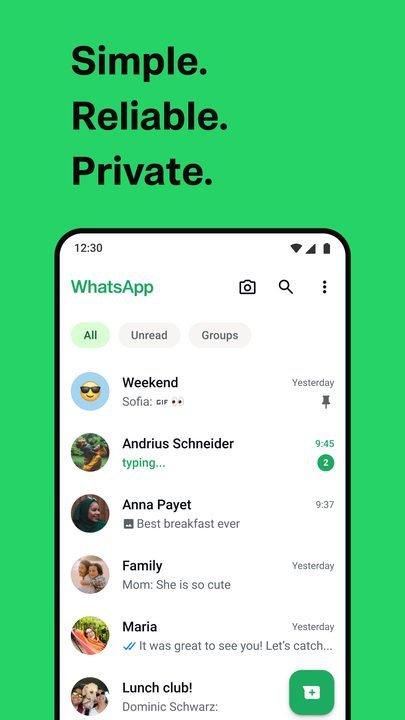
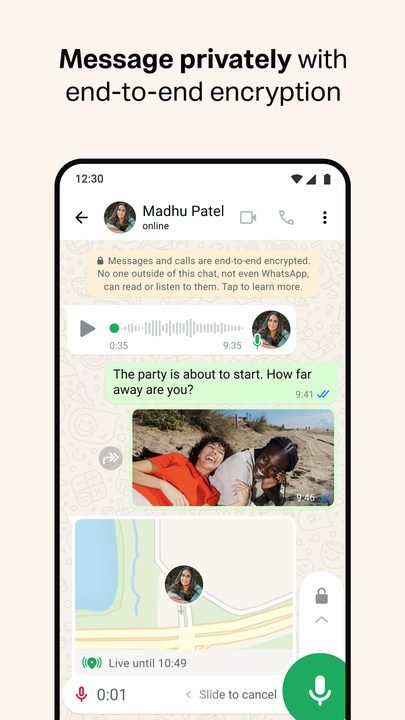
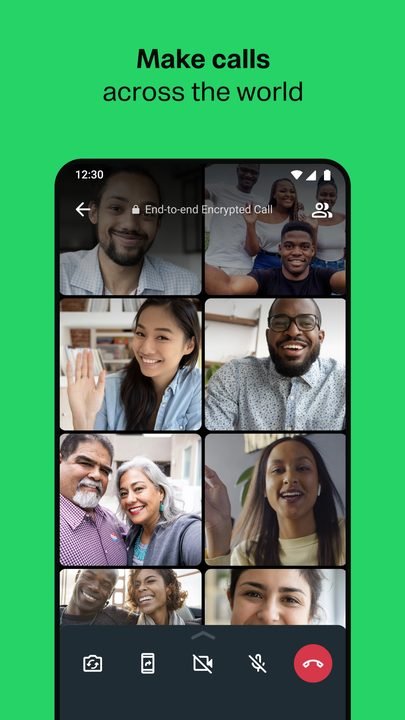
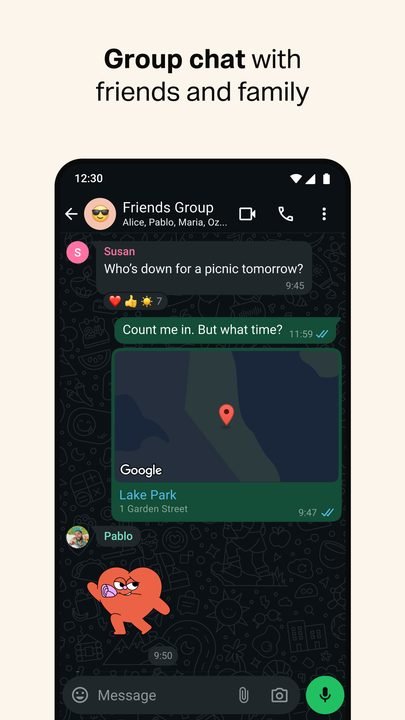
How to Download & Install WhatsApp Plus
Click the download button above to get the latest APK file.
Go to Settings > Security > Enable "Install from Unknown Sources" or allow your browser to install apps.
Open your file manager and navigate to the Downloads folder to find the APK file.
Tap the APK file and follow the on-screen instructions to complete the installation.
Launch WhatsApp Plus from your app drawer and enjoy all its features!
Ready to Download?
WhatsApp Plus v18.80 · 95 MB · Safe & Verified
What's New v18.80
v18.80 (Abril 2026): Mejoras de rendimiento + compatibilidad total con Android 15
v18.70 (Febrero 2026): Actualizacion del editor de stickers + correccion de crashes
v18.50 (Diciembre 2025): Soporte para canales y comunidades
v18.30 (Septiembre 2025): Implementacion del sistema Anti-ban v4
v18.00 (Junio 2025): Anadidos 4000+ nuevos temas
Frequently Asked Questions
Is WhatsApp Plus safe?
The button takes you to the official Google Play listing, which scans apps with Google Play Protect. Modilimitado does not host the file. Avoid modified APKs from other sites.
Is WhatsApp Plus free?
Yes, WhatsApp Plus is free. The button takes you to the official Google Play listing. Modilimitado does not host the file.
Will it work on my device?
Requirement listed on this page: Android 5.0+. Check the store or the official website to see if your model is supported.
Do I need to create an account?
No, you don't need to sign up to download WhatsApp Plus.
How do I update to the latest version?
Come back to this page to get the latest version. We update WhatsApp Plus regularly.