Telegram v11.4.0
About Telegram
What is Telegram?
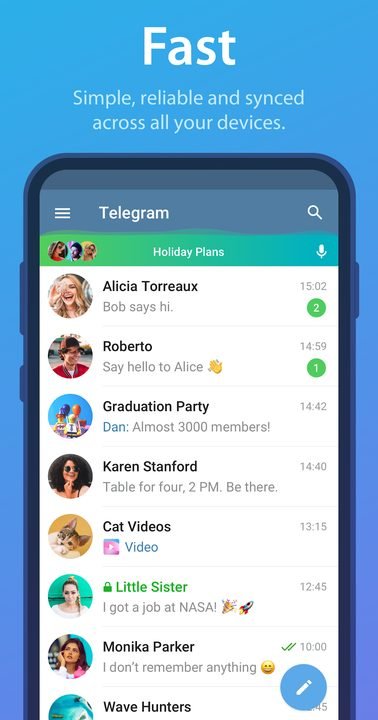
Telegram is an instant messaging app developed by Telegram FZ-LLC, founded by Pavel Durov in 2013. Its pitch revolves around three pillars: speed, privacy and no limits. Unlike other apps in the sector, it stores your regular chats in the cloud, which lets you access them from your phone, tablet or computer without losing a single conversation.
Today it is one of the most widely used communication platforms in the world, with hundreds of millions of active users. It works both for personal chats and for managing huge communities through groups and channels. Being free, open to developers via bots and focused on encryption has turned it into a solid alternative to WhatsApp and Messenger.
Key features of Telegram 2026
These are the features that best define the Telegram experience in its most recent version.
🔧 Messaging and files
- Cloud sync of all your chats across devices.
- Sending documents, videos and photos of up to 2 GB each.
- Editable and scheduled messages with quoted replies.
✨ Communities
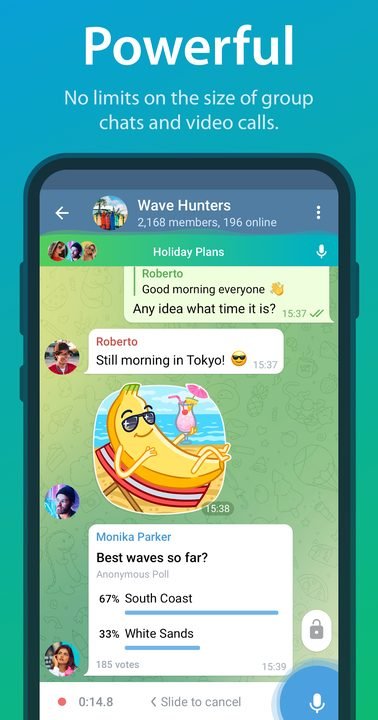
- Groups of up to 200,000 members with topics and polls.
- Channels with no subscriber limit to broadcast content.
- Bots to automate tasks, games and services within the chat.
🔐 Privacy
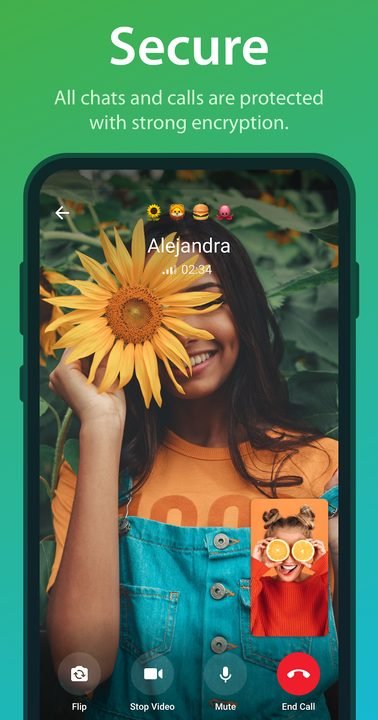
- Secret chats with end-to-end encryption.
- Messages that self-destruct after a set time.
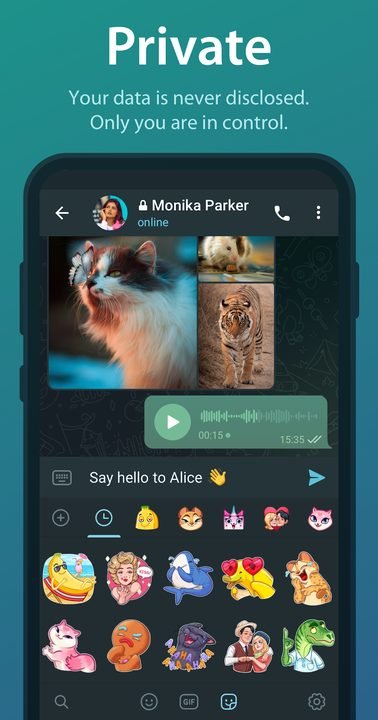
- Granular controls over who sees your number, photo and last seen.
How to download and install Telegram on Android
- Tap the official download button on this page, which takes you to Google Play.
- On the Telegram listing, tap “Install” and wait for the download to finish.
- Open the app from the icon that appears on your home screen.
- Enter your phone number and confirm the code you receive by SMS.
- Set up your name and, if you want, a profile photo and a username.
- Grant the contacts and notifications permissions to start chatting.
System requirements
- System: Android 5.0 or higher.
- Storage: around 85 MB free, plus space for the media cache.
- Connection: internet over Wi-Fi or mobile data, although it uses little bandwidth.
- Account: a valid phone number to verify the account.
Pros and cons of Telegram
✓ Advantages
- Completely free and with no intrusive ads.
- Cloud sync across all your devices.
- Large groups and channels for communities.
- Sending heavy files without forced compression.
- Extensive privacy and customization options.
✕ Disadvantages
- End-to-end encryption is not enabled by default in regular chats.
- Fewer contacts than on WhatsApp depending on the region.
- Secret chats only work between two devices.
- Some advanced features require the Premium subscription.
Telegram versus its alternatives
Telegram competes directly with WhatsApp, Signal and Messenger. Against WhatsApp it stands out for its massive groups and cloud sync; against Signal it offers more social features although the latter encrypts everything by default; and against Messenger it wins on privacy and the app's light footprint.
| App | Strength | Platform |
|---|---|---|
| Telegram | Huge groups and cloud | Android |
| Larger user base | Android / iOS | |
| Signal | Full encryption by default | Android / iOS |
Common Telegram problems and solutions
I'm not getting the verification code by SMS
Check that you entered the number correctly with the country code. If it doesn't arrive after two minutes, tap the option to receive the voice call or request the code through Telegram on another device where you have an open session.
Notifications don't show up
Go to your phone settings, find Telegram and enable notifications. Inside the app, in Settings > Notifications and sounds, check that they are enabled and turn off battery saving for the app.
The app takes up too much space
Go to Settings > Data and storage > Storage usage and clear the media cache. You can set files to be deleted automatically after a few days.
I can't open a secret chat on another device
Secret chats are tied to the device where they were created and don't sync to the cloud. You have to start them again on each phone from the new secret chat menu.
What's new in Telegram in 2026
Version 11.4.0 from June 2026 improves group video calls with greater stability, adds new visual effects for messages and optimizes battery consumption. Over the course of the year, the stories tab, sticker collections and a redesign of the settings menu that makes it easier to find privacy options have all been added.
Frequently asked questions about Telegram
Is Telegram free?
Yes, the app is completely free. There is an optional subscription called Premium that raises limits and adds extras, but it is not required to use the messaging service.
Is it safe to download Telegram?
Yes, as long as you do it from the official Google Play, as this page links to. That way you make sure the file is legitimate and receives updates.
Does Telegram work on iPhone?
Yes, it has an iOS version, plus desktop apps for Windows, macOS and Linux, all synced.
Do I need an account to use Telegram?
Yes, you must sign up with a valid phone number. From there you can choose a username so people can find you without sharing your number.
Does Telegram use a lot of data or battery?
Consumption is moderate. You can limit automatic media downloads on mobile data to save, and the app is well optimized for battery.
How do I update Telegram?
Open Google Play, search for Telegram and tap “Update”. You can also enable automatic updates to always keep it current.
Conclusion: is Telegram worth it in 2026?
Telegram remains one of the best messaging options in 2026: fast, free, packed with features and with a strong focus on privacy. It is ideal for anyone who manages communities, shares heavy files or wants full control over their data. Its only weak spot, encryption not being enabled by default in regular chats, is offset by secret chats for sensitive conversations.
Features
Screenshots

How to Download & Install Telegram
Click the download button above to get the latest APK file.
Go to Settings > Security > Enable "Install from Unknown Sources" or allow your browser to install apps.
Open your file manager and navigate to the Downloads folder to find the APK file.
Tap the APK file and follow the on-screen instructions to complete the installation.
Launch Telegram from your app drawer and enjoy all its features!
Ready to Download?
Telegram v11.4.0 · 85 MB · Safe & Verified
What's New v11.4.0
v11.4.0 (Junio 2026): Mejoras en las videollamadas grupales, nuevos efectos de mensaje y optimización del consumo de batería.
v11.2 (Abril 2026): Rediseño del menú de ajustes, soporte para colecciones de stickers y corrección de errores en notificaciones.
v11.0 (Febrero 2026): Nueva pestaña de historias, mejoras en los temas personalizados y carga más rápida de medios.
v10.14 (Diciembre 2025): Soporte ampliado para mensajes de regalo Premium y ajustes de privacidad granulares.
Frequently Asked Questions
Is Telegram safe?
The button takes you to the official Google Play listing, which scans apps with Google Play Protect. Modilimitado does not host the file. Avoid modified APKs from other sites.
Is Telegram free?
Yes, Telegram is free. The button takes you to the official Google Play listing. Modilimitado does not host the file.
Will it work on my device?
Requirement listed on this page: Android 5.0+. Check the store or the official website to see if your model is supported.
Do I need to create an account?
No, you don't need to sign up to download Telegram.
How do I update to the latest version?
Come back to this page to get the latest version. We update Telegram regularly.