KineMaster v7.6.9
About KineMaster
What is KineMaster?
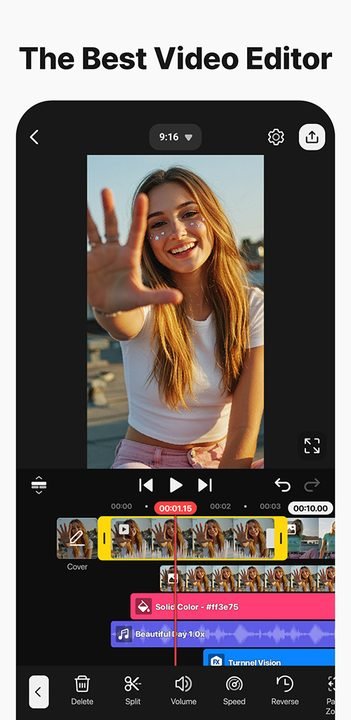
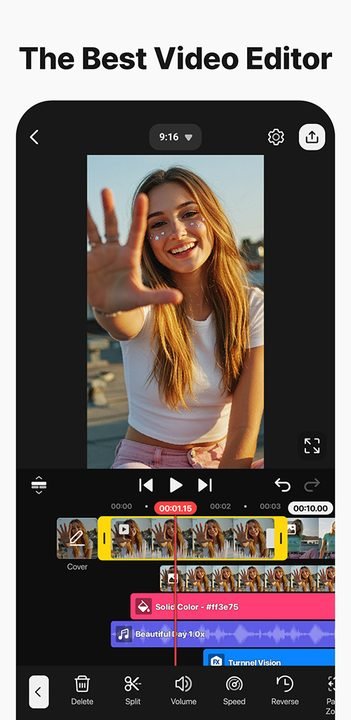
KineMaster is a full-featured video editor for Android developed by KineMaster Corporation. Its hallmark is multi-layer editing: you can overlay several videos, images, text, stickers and audio tracks on a single timeline, with frame-by-frame control that's rare on mobile apps. This brings it close to desktop software without giving up the convenience of your phone.
It's one of the go-to editing apps for YouTubers, TikTokers and creators who need professional results on the fly. Its asset store packed with transitions, effects, templates and royalty-free music, along with features like chroma key and advanced audio mixing, explains why it has racked up more than a hundred million downloads and a very active community of tutorials.
KineMaster 2026 key features
These are the features that make KineMaster a serious editor for everyday use:
🔧 Video editing
- Multi-layer timeline for video, images and text.
- Precise cuts with frame-by-frame control.
- Variable speed, slow motion and reverse playback.
- Keyframes to animate position, scale and rotation.
✨ Effects and assets
- Chroma key to replace backgrounds with a green screen.
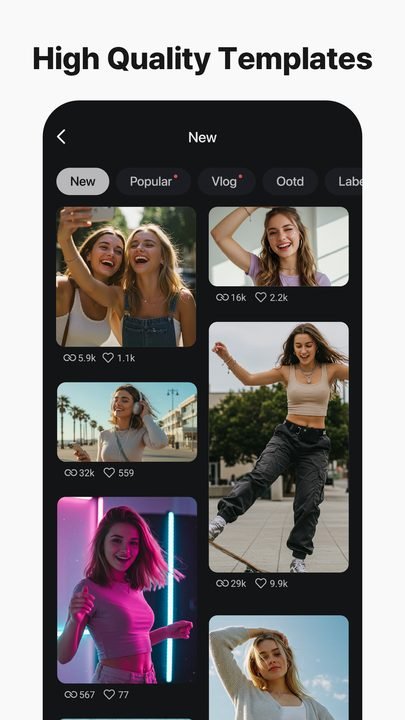
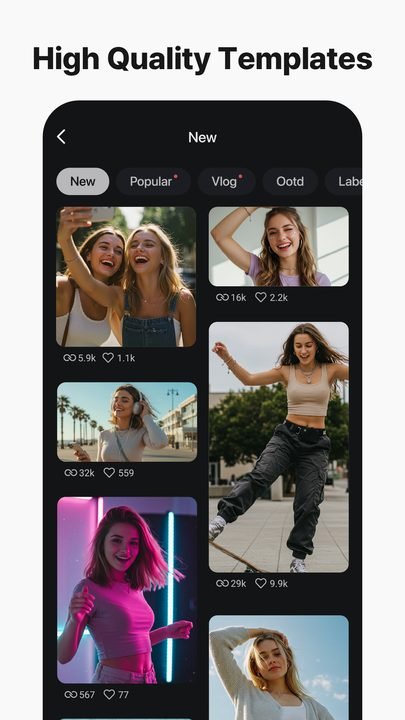
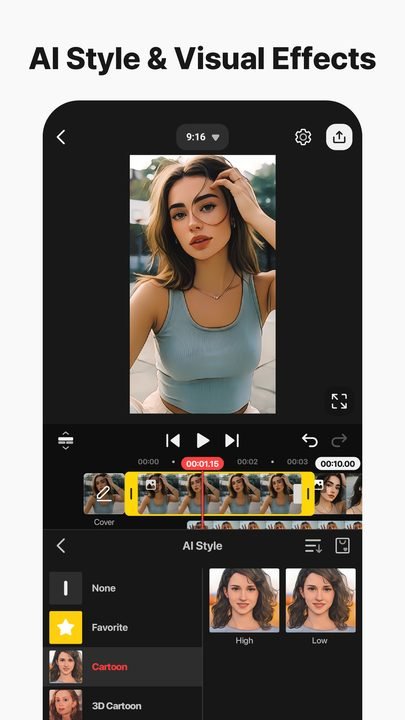
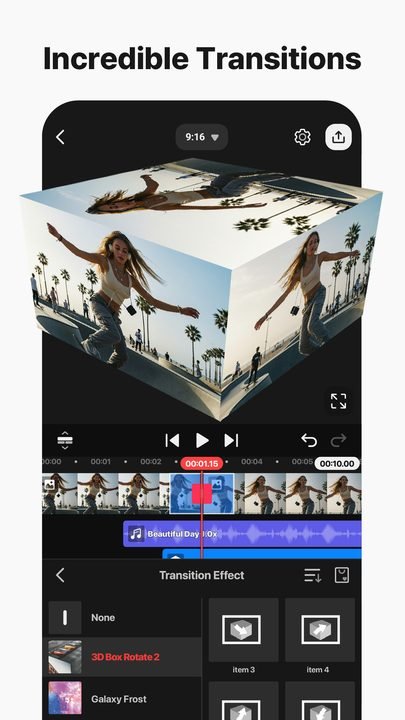
- Hundreds of downloadable transitions, effects and templates.
- Stickers, animated titles and creative overlays.
🔐 Audio and export
- Mixer with volume control, envelopes and automatic ducking.
- Voice-over recording and a royalty-free music library.
- High-resolution export, up to 4K on compatible devices.
How to download and install KineMaster on Android
- Tap the official download button on this page, which opens the KineMaster listing on Google Play.
- Tap Install and wait for the download to finish.
- Open the app from the icon created on your home screen.
- Grant storage, camera and microphone permissions depending on what you're going to edit.
- Create a new project by choosing the right aspect ratio for your social network.
- Edit, add layers and, if you want, subscribe to Premium to remove the watermark.
System requirements
- System: Android 8.0+
- Storage: around 95 MB for the app, plus space for clips, downloaded assets and exports.
- Connection: required to download the app and store assets; editing works offline.
- Account: optional; handy for managing your Premium subscription across devices.
KineMaster pros and cons
✓ Advantages
- Very powerful multi-layer editing for mobile.
- Frame-by-frame control that's uncommon in Android apps.
- Huge store of transitions, effects and templates.
- Professional-grade chroma key and audio mixing.
- Polished, well-organized interface.
✕ Disadvantages
- The free version adds a watermark.
- Many premium assets require the subscription.
- 4K export demands a powerful device.
- It can take up quite a bit of space with downloaded assets.
KineMaster versus its alternatives
Compared to CapCut, KineMaster offers deeper manual control and a more flexible multi-layer timeline, while CapCut stands out for its automatic templates and its integration with trends. Compared to Alight Motion, KineMaster is more comfortable for traditional video editing, while Alight Motion wins on keyframe animation and motion graphics.
| App | Strength | Platform |
|---|---|---|
| KineMaster | Multi-layer editing and frame-by-frame control | Android / iOS |
| CapCut | Automatic templates and trends | Android / iOS |
| Alight Motion | Keyframe animation and motion graphics | Android / iOS |
Common KineMaster problems and fixes
The video exports with a watermark
The watermark is removed when you activate the Premium subscription. Check that your account has an active plan and export again.
4K export fails or takes too long
Lower the resolution to 1080p, close background apps and free up memory. Some mid-range devices don't support stable 4K export.
Playback stutters while editing
This is common with many layers and effects. Lower the preview quality in the settings; the exported result will look smooth.
It won't let me download assets from the store
Check your internet connection, the available space on your device and that the app is updated to the latest version.
What's new in KineMaster in 2026
Version 7.6.9 from June 2026 adds new vertical templates designed for Shorts and Reels, improves the export engine to process faster and fixes audio sync bugs. Throughout the year the keyframe tools were expanded, the audio mixer was redesigned and performance was optimized on mid-range devices, plus new transition effects were added to the store.
Frequently asked questions about KineMaster
Is KineMaster free?
Yes, it's free to download and you can edit and export, although the free version includes a watermark and some assets require the Premium subscription.
Is it safe to download KineMaster?
Yes, as long as you download it from the official Google Play, as this page links to. Avoid modified versions from external sites.
Does KineMaster work on iPhone?
Yes, there's an iOS version on the App Store in addition to the Android one.
Do I need an account to use KineMaster?
Not to edit, but signing in lets you manage the Premium subscription across several devices.
Does KineMaster use a lot of data or battery?
Data use mostly happens when downloading assets. Editing and exporting can be demanding on the battery in long projects.
How do I update KineMaster?
From Google Play, tap Update on the app listing or turn on automatic updates.
Conclusion: is KineMaster worth it in 2026?
In 2026 KineMaster remains one of the most complete video editors for Android, especially for anyone looking for manual control and quality multi-layer editing. The free version is ideal for learning, and the Premium subscription pays off for creators who publish frequently and want to export without a watermark.
Features
Screenshots


How to Download & Install KineMaster
Click the download button above to get the latest APK file.
Go to Settings > Security > Enable "Install from Unknown Sources" or allow your browser to install apps.
Open your file manager and navigate to the Downloads folder to find the APK file.
Tap the APK file and follow the on-screen instructions to complete the installation.
Launch KineMaster from your app drawer and enjoy all its features!
Ready to Download?
KineMaster v7.6.9 · 95 MB · Safe & Verified
What's New v7.6.9
v7.6.9 (Junio 2026): nuevas plantillas verticales, mejoras en el motor de exportación y corrección de fallos de audio.
v7.5.4 (Abril 2026): herramientas de keyframe ampliadas y optimización de rendimiento en gama media.
v7.4.0 (Febrero 2026): rediseño del mezclador de audio y nuevos efectos de transición.
v7.3.2 (Diciembre 2025): mejoras de estabilidad y compatibilidad con Android 15.
Frequently Asked Questions
Is KineMaster safe?
The button takes you to the official Google Play listing, which scans apps with Google Play Protect. Modilimitado does not host the file. Avoid modified APKs from other sites.
Is KineMaster free?
It is free to download, but it has paid features, subscriptions or in-app purchases. The button takes you to the official Google Play listing. Modilimitado does not host the file.
Will it work on my device?
Requirement listed on this page: Android 8.0+. Check the store or the official website to see if your model is supported.
Do I need to create an account?
No, you don't need to sign up to download KineMaster.
How do I update to the latest version?
Come back to this page to get the latest version. We update KineMaster regularly.