Video: Cómo descargar Canva
Acerca de Canva
¿Qué es Canva?
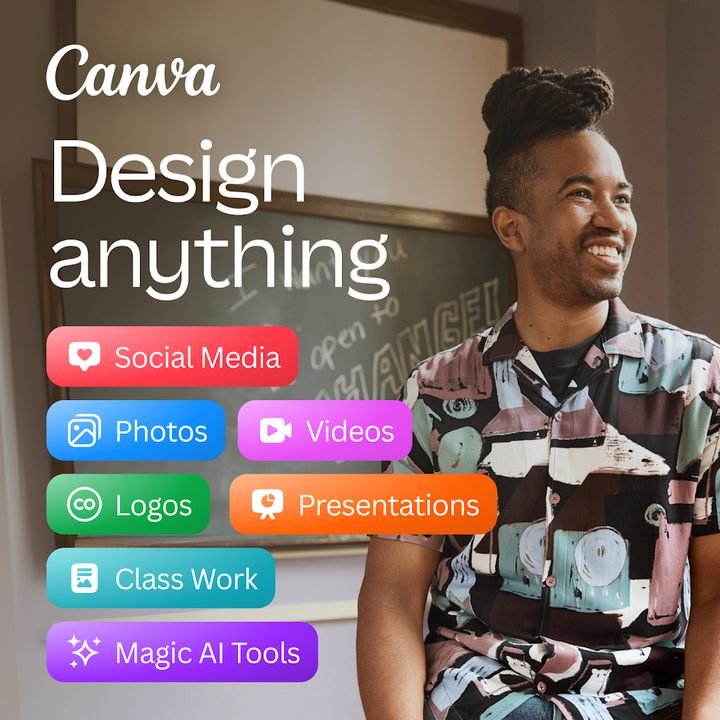
Canva es una plataforma de diseño gráfico desarrollada por Canva Pty Ltd que permite crear todo tipo de contenidos visuales desde el teléfono, sin conocimientos previos de programas profesionales. La app parte de una biblioteca enorme de plantillas listas para editar, de modo que en lugar de empezar con un lienzo en blanco eliges un formato, cambias textos e imágenes y obtienes un resultado terminado en minutos. Publicaciones para redes sociales, presentaciones, logotipos, invitaciones, currículums, carteles o videos cortos se arman con el mismo sistema de arrastrar y soltar.
Su popularidad se explica por la mezcla de sencillez y potencia: cualquier persona puede lograr un diseño con aspecto profesional, mientras que los usuarios más avanzados aprovechan funciones de marca, colaboración en equipo y herramientas de inteligencia artificial. Canva es gratis para empezar y ofrece un plan de pago opcional, Canva Pro, para quienes necesitan más recursos y capacidades. La app funciona en Android, iOS y navegador, con los proyectos sincronizados en la nube.
Características principales de Canva 2026
Estas son las funciones que convierten a Canva en una de las apps de diseño más usadas del mundo, tanto para uso personal como profesional.
🔧 Diseño, plantillas y edición
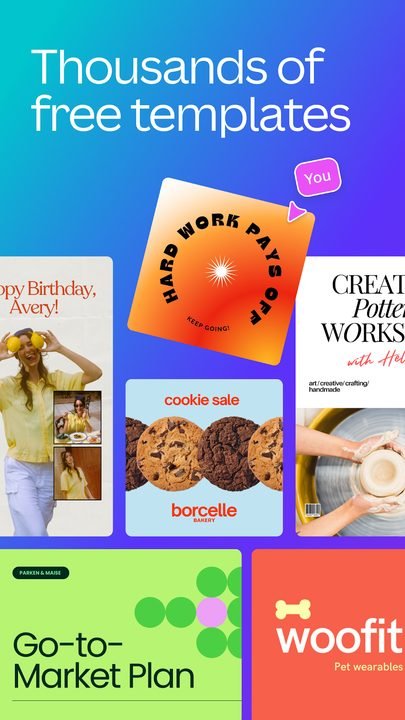
- Miles de plantillas organizadas por formato y ocasión, editables al 100%.
- Editor de arrastrar y soltar con textos, formas, iconos, cuadrículas y fotos.
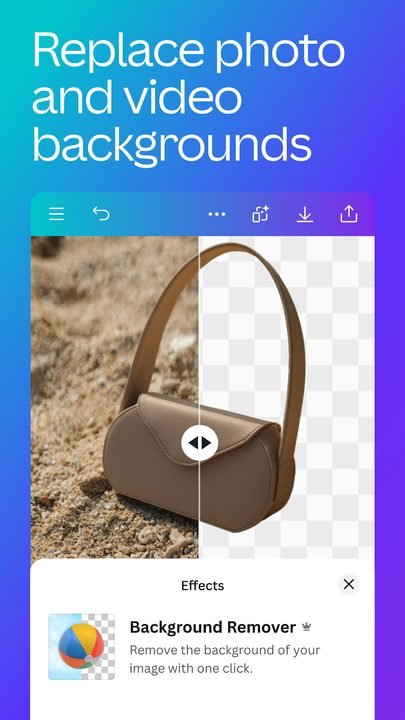
- Edición de imágenes integrada: recorte, filtros, ajustes de color y quitar fondo.
✨ Presentaciones, videos e IA (Magic Studio)
- Creación de presentaciones dinámicas y videos con transiciones y música.
- Magic Studio, el conjunto de herramientas de IA, para generar textos e imágenes.
- Funciones inteligentes para redimensionar diseños y aplicar estilos automáticamente.
🔐 Colaboración y organización
- Trabajo en equipo en tiempo real, con comentarios y permisos por proyecto.
- Almacenamiento en la nube para retomar tus diseños desde cualquier dispositivo.
- Kit de marca opcional para mantener logotipos, colores y fuentes siempre a mano.
Cómo descargar e instalar Canva en Android
- Pulsa el botón de descarga oficial de esta página, que te lleva a Google Play.
- En la ficha de Canva dentro de la tienda, toca el botón Instalar.
- Espera a que la descarga y la instalación terminen automáticamente.
- Abre la aplicación desde el icono que aparece en tu pantalla de inicio.
- Crea una cuenta gratuita o inicia sesión con Google, Apple o correo electrónico.
- Elige una plantilla o un formato en blanco y empieza a diseñar.
Requisitos del sistema
- Sistema: Android compatible con la última versión disponible en Google Play.
- Espacio: unos cientos de MB libres, más el espacio de tus proyectos.
- Conexión: internet estable para sincronizar diseños y usar la IA.
- Cuenta: una cuenta de Canva gratuita (correo, Google o Apple).
Pros y contras de Canva
✓ Ventajas
- Muy fácil de usar, incluso sin experiencia previa en diseño.
- Enorme catálogo de plantillas para casi cualquier necesidad.
- Versión gratuita generosa y funcional para el día a día.
- Herramientas de IA que aceleran la creación de contenidos.
- Sincronización en la nube y colaboración en equipo.
✕ Desventajas
- Algunas plantillas y recursos requieren Canva Pro de pago.
- Depende de conexión a internet para aprovecharla al máximo.
- El exportado avanzado y ciertos formatos están reservados a Pro.
- La cantidad de opciones puede abrumar a quien recién empieza.
Canva frente a sus alternativas
Canva compite con otras apps de diseño y edición visual pensadas para móvil. Cada una tiene su enfoque, pero Canva destaca por combinar plantillas, edición e IA en una sola interfaz sencilla.
| App | Punto fuerte | Plataforma |
|---|---|---|
| Canva | Plantillas + IA + colaboración en una app muy fácil | Android |
| Adobe Express | Integración con el ecosistema Adobe y activos premium | Android / iOS |
| PicsArt | Edición de fotos creativa y efectos artísticos | Android / iOS |
Problemas comunes de Canva y soluciones
La app se cierra o va lenta
Cierra otras aplicaciones abiertas, actualiza Canva a la última versión disponible y reinicia el teléfono. Si el problema persiste, borra la caché de la app desde los ajustes de Android.
No puedo usar una plantilla o elemento
Algunos recursos están marcados como premium y forman parte de Canva Pro. Puedes buscar alternativas gratuitas con el filtro correspondiente o valorar el plan de pago si los necesitas a menudo.
Mis diseños no se sincronizan
Verifica que tengas conexión a internet y que hayas iniciado sesión con la misma cuenta en todos tus dispositivos. Abre y cierra el diseño para forzar la sincronización con la nube.
No puedo descargar mi diseño
Comprueba que tienes espacio libre en el teléfono y buena conexión. Prueba a exportar en un formato distinto, como PNG o PDF, y revisa los permisos de almacenamiento de la app.
Novedades de Canva en 2026
Durante este año Canva ha reforzado su apuesta por la inteligencia artificial dentro de Magic Studio, con generación de imágenes y textos más precisa y mejores sugerencias de diseño. También se han pulido las funciones de video y presentaciones, con una edición más fluida en el móvil, y se ha mejorado el rendimiento general de la app para trabajar con proyectos grandes. La colaboración en equipo y la gestión de marca siguen ganando opciones, siempre con una interfaz cada vez más limpia y accesible.
Preguntas frecuentes sobre Canva
¿Canva es gratis?
Sí, Canva se puede usar de forma gratuita con miles de plantillas y herramientas. Existe además Canva Pro, un plan de pago opcional que desbloquea más recursos, funciones de marca y exportación avanzada.
¿Es seguro descargar Canva?
Sí, siempre que lo hagas desde Google Play oficial, como enlaza esta página. Así te aseguras de instalar la versión legítima y con las actualizaciones de seguridad al día.
¿Canva funciona en iPhone?
Sí. Además de Android, Canva está disponible para iPhone y iPad en la App Store, así como en navegador desde la computadora, con los proyectos sincronizados.
¿Necesito saber diseñar para usar Canva?
No. La app está pensada para que cualquier persona logre buenos resultados partiendo de plantillas y con un editor sencillo de arrastrar y soltar.
Conclusión: ¿vale la pena Canva en 2026?
Canva sigue siendo una de las mejores opciones para diseñar desde el móvil sin complicaciones. Su combinación de plantillas, edición de fotos, presentaciones, videos y herramientas de IA la vuelve útil tanto para uso personal como profesional, y su versión gratuita cubre de sobra las necesidades más comunes. Canva Pro queda como una opción de pago para quien busca más recursos y control de marca. Si quieres crear contenido visual con rapidez y buen acabado, descargar Canva desde Google Play es una apuesta segura. Puedes explorar más alternativas en nuestra selección de mejores apps de diseño.
Aviso legal y de responsabilidad
Modilimitado es un portal informativo e independiente. No estamos afiliados, asociados ni respaldados por WhatsApp LLC, Meta Platforms, Google ni por los desarrolladores originales de ninguna aplicación descrita en este sitio.
Todas las marcas comerciales, logotipos y nombres de producto pertenecen a sus respectivos titulares y se utilizan únicamente con fines identificativos e informativos.
Las versiones modificadas (MOD) son desarrolladas por terceros, no son oficiales, pueden contravenir los términos de servicio de la aplicación original e implican riesgos (suspensión de cuenta, seguridad, estabilidad). La información se ofrece con carácter educativo; su descarga y uso son responsabilidad exclusiva del usuario.
Respetamos los derechos de autor. Si eres titular de derechos y detectas contenido que los infringe, notifícanoslo mediante nuestra política DMCA y lo retiraremos en un plazo máximo de 48 horas.
Caracteristicas
Capturas de Pantalla
Cómo Descargar e Instalar Canva
Pulsa el botón de descarga de arriba y consigue la última versión del APK.
Entra en Ajustes > Seguridad y activa «Instalar apps de fuentes desconocidas», o dale permiso a tu navegador para instalar aplicaciones.
Abre el administrador de archivos de tu móvil y busca el APK en la carpeta Descargas.
Toca el archivo APK y sigue los pasos que salen en pantalla para completar la instalación.
Abre Canva desde el cajón de aplicaciones y disfrútalo al completo.
Pulsa el botón de descarga y consigue el instalador de tu sistema operativo.
Haz doble clic en el archivo descargado y sigue el asistente de instalación.
Busca Canva en el menú Inicio o en la carpeta Aplicaciones y ábrelo.
¿Listo para Descargar?
Canva v2.275.0 · 38.9 MB · Google Play
Novedades v2.275.0
v2.275.0: Magic Studio AI mejorado, nuevas plantillas, mejor rendimiento.
Preguntas Frecuentes
¿Canva es seguro?
El botón lleva a la ficha oficial en Google Play, que analiza las apps con Google Play Protect. Modilimitado no aloja el archivo. Evita los APK modificados de otras webs.
¿Canva es gratis?
Se descarga gratis, pero tiene funciones, suscripciones o compras de pago dentro de la app. El botón lleva a la ficha oficial de Google Play. Modilimitado no aloja el archivo.
¿Funciona en mi dispositivo?
Requisito indicado en esta ficha: Android 6.0+. Comprueba en la tienda o en la web oficial si tu modelo es compatible.
¿Necesito crear una cuenta?
No, no necesitas registrarte para descargar Canva.
¿Cómo actualizo a la última versión?
Vuelve a esta página para obtener la versión más reciente. Actualizamos Canva regularmente.