About YouTube
What is YouTube?
YouTube is the largest video platform in the world, developed by Google LLC. From its official app for Android you can watch, search and share millions of videos: tutorials, reviews, music, news, sports, gaming and live streams. What started as a place to upload homemade clips is today a complete ecosystem where creators from all over the planet publish content every minute, and where anyone with a Google account can be a viewer or an author.
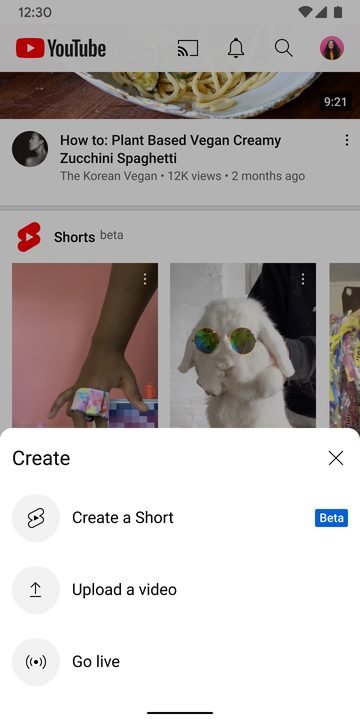
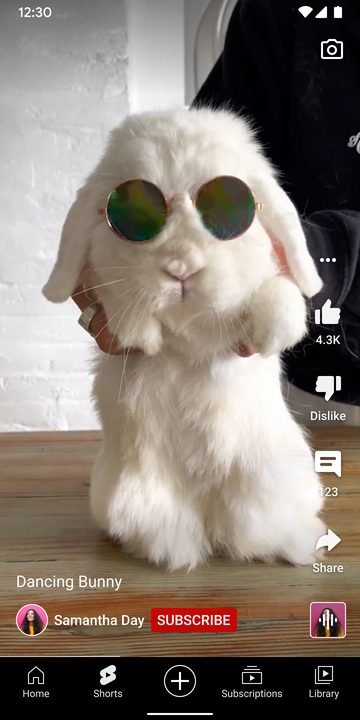
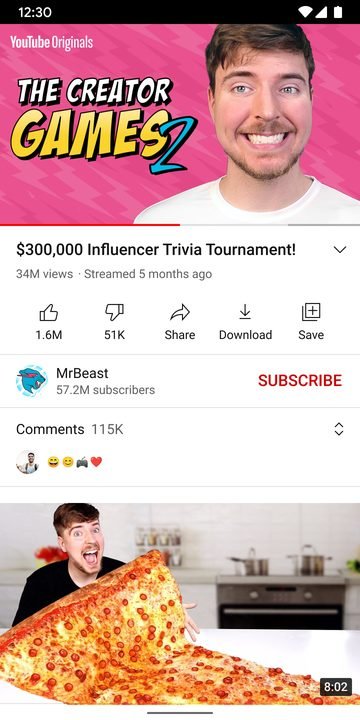
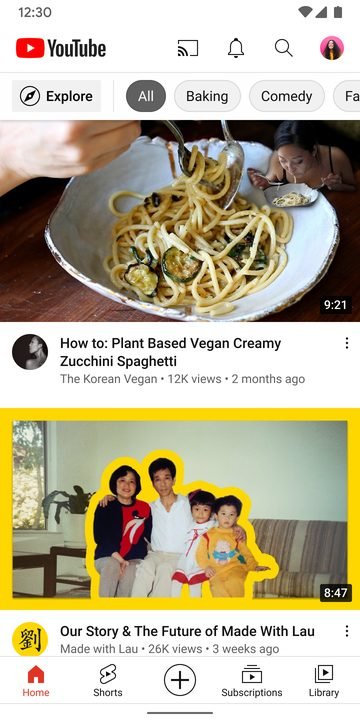
The app brings several experiences together in one place: the main video feed, vertical Shorts, a dedicated music section, subscriptions to your favorite channels, and interaction through comments, likes and playlists. Everything syncs with your account, so your history and subscriptions follow you on any device. It's free in its base version and comes preinstalled on most Android phones.
Key features of YouTube 2026
The app gathers features designed both for those who just want to watch content and for those looking to discover something new every day. These are the most relevant ones:
🔧 Content formats
- Traditional videos in quality ranging from 144p up to 4K, depending on your connection and device.
- Short vertical Shorts, perfect for discovering trends with a single swipe.
- Live streams with real-time chat for events, gaming and premieres.
✨ Discovery and personalization
- Recommendations based on your history and interests, which improve the more you use it.
- Channel subscriptions so you never miss a premiere from your favorite creators.
- A music section with playlists, mixes and official artist videos.
🔐 Account and controls
- Full sync with your Google account: history, playlists and "watch later".
- Restricted mode and parental controls to filter out unsuitable content.
- Privacy settings to manage your activity, comments and data.
How to download and install YouTube on Android
- Tap the official download button on this page, which takes you to Google Play.
- On the Google Play listing, check that the developer is Google LLC.
- Tap "Install" and wait for the download to finish (or "Update" if you already have it).
- Open the app from the icon that appears on your home screen.
- Sign in with your Google account to sync your subscriptions and history.
- Adjust the playback, notification and privacy preferences to your liking.
System requirements
- System: a recent compatible version of Android; check the latest version available on Google Play.
- Storage: a few hundred MB free for the installation, plus the storage used by the cache.
- Connection: internet over Wi-Fi or mobile data for streaming playback.
- Account: a free Google account to access subscriptions, history and comments.
Pros and cons of YouTube
✓ Advantages
- A practically unlimited catalog of videos in every language and topic.
- Free in its base version, with access to most features.
- Combines videos, Shorts, music and live streams in a single app.
- Recommendations that fit your tastes better and better over time.
- Sync across phone, tablet, TV and computer.
✕ Disadvantages
- The free version includes ads that interrupt playback.
- Watching offline and ad-free requires the paid YouTube Premium subscription.
- Mobile data usage can be high at higher qualities.
- The recommendations feed can become addictive if you don't manage it.
YouTube versus its alternatives
Although YouTube dominates video on the internet, there are other platforms focused on different niches. TikTok bets on the short vertical format and fast discovery, while Vimeo is aimed at creators and professionals who prioritize quality and the absence of ads. The following table sums up where each one shines:
| App | Strength | Platform |
|---|---|---|
| YouTube | Huge catalog and varied formats (videos, Shorts, music and live streams) | Android |
| TikTok | Short vertical video and viral discovery | Android / iOS |
| Vimeo | Video quality and a professional, ad-free focus | Android / iOS |
Common YouTube problems and solutions
Videos look pixelated or keep stopping to load
It's usually a connection issue. Tap the three dots on the video to lower the quality manually, switch from Wi-Fi to data (or the other way around), and close other apps that eat up bandwidth.
The app closes on its own or runs slow
Go to Android Settings, open Apps, select YouTube and clear the cache. If it persists, update the app from Google Play to the latest available version and restart your phone.
My subscriptions or my history don't show up
Make sure you signed in with the correct Google account. From your profile picture you can switch accounts and check that sync is turned on.
There's no sound in the videos
Check that your device's volume is on and that the video isn't muted with the speaker icon. If you're using Bluetooth headphones, confirm they're properly paired.
What's new in YouTube in 2026
The latest version for Android keeps refining the experience with performance improvements in playback, smoother navigation between videos and Shorts, and playback controls designed for touch gestures. Digital wellbeing tools have also been strengthened, such as take-a-break reminders, and recommendations have been optimized. At the same time, the app keeps its privacy settings and family controls up to date, and continues to expand the music section and the options of the YouTube Premium subscription, which adds ad-free and offline playback.
Frequently asked questions about YouTube
Is YouTube free?
Yes, the app and most of its content are free and funded by advertising. If you'd rather remove ads, play offline and listen in the background, there's the official paid YouTube Premium subscription.
Is it safe to download YouTube?
Yes, as long as you do it from the official Google Play, as this page links to. That way you make sure you install the version signed by Google LLC, with its security updates in place.
Does YouTube work on iPhone?
Yes, there's an official version for iOS available on the App Store, though this listing focuses on the installation for Android from Google Play.
Can I watch videos offline?
Downloading videos to watch without internet is available with the YouTube Premium subscription; the free version requires a connection to play.
Conclusion: is YouTube worth it in 2026?
YouTube remains the go-to app for watching video on Android: free, with a boundless catalog and formats for every moment, from a thirty-second Short to a hours-long live stream. Its integration with your Google account, personalized recommendations and variety of content make it practically essential on any phone. If ads bother you or you want to watch offline, YouTube Premium is the official way to do it. Always download it from Google Play to enjoy the safe, up-to-date version. If you're into multimedia content, you can also explore other video and streaming apps available on the site.
Features
Screenshots
How to Download & Install YouTube
Ready to Download?
YouTube v19.50.40 · 82 MB · Safe & Verified
Frequently Asked Questions
Is YouTube safe?
The button takes you to the developer's official website. If it offers an APK or installer, download only that one and scan it with your antivirus before opening it. Modilimitado does not host the file.
Is YouTube free?
Yes, YouTube is free. The button takes you to the developer's official website. Modilimitado does not host the file.
Will it work on my device?
Requirement listed on this page: Android 8.0+. Check the store or the official website to see if your model is supported.
Do I need to create an account?
No, you don't need to sign up to download YouTube.
How do I update to the latest version?
Come back to this page to get the latest version. We update YouTube regularly.