
About Vimeo
What is Vimeo?
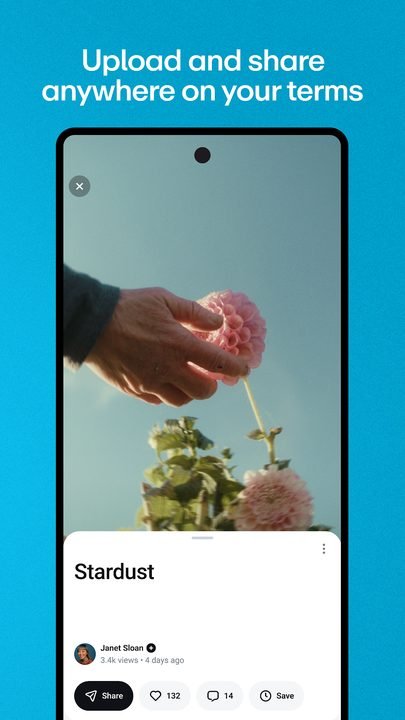
Vimeo is a video platform built to host, play and share high-quality audiovisual content. Unlike other services geared more toward mass entertainment, Vimeo is aimed above all at creators, video professionals, studios, agencies and companies that need a clean, distraction-free space with a polished player to showcase their work. From its Android app you can upload clips, manage your library, review projects and share links with clients or your audience wherever you are.
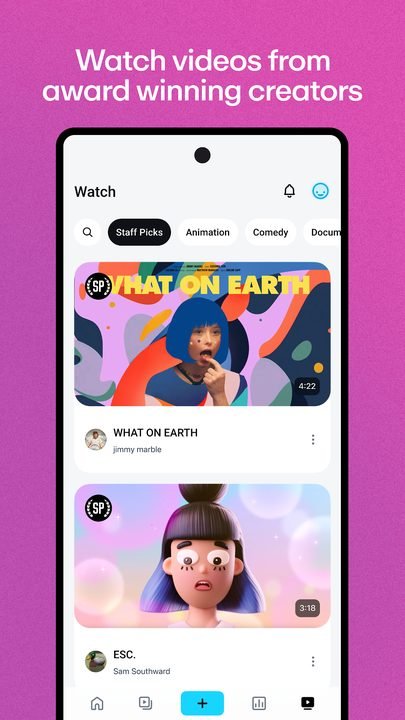
Developed by Vimeo Inc., the app works as a mobile companion to the web service: it lets you watch videos from other creators, follow channels and, above all, manage your own content straight from your phone. It's a popular choice among those who value image sharpness, control over each video's privacy and a professional environment in which to present portfolios, short films, tutorials or corporate material without the usual ad load of other platforms.
Vimeo's main features in 2026
Vimeo combines publishing, playback and collaboration tools in a single app. These are its standout areas:
🔧 High-quality uploading and playback
- Upload videos while preserving high image quality, ideal for showcasing audiovisual work in detail.
- A clean, ad-free player that keeps the focus on the content rather than on advertising.
- Adaptive resolution options based on your connection so playback stays smooth.
✨ Tools for creators
- Manage your video library, organized by projects or folders.
- Customize how each video and your creator profile are presented.
- Basic analytics to see how your content is performing.
🔐 Privacy and collaboration
- Privacy controls to decide who can watch each video: public, private or link-restricted.
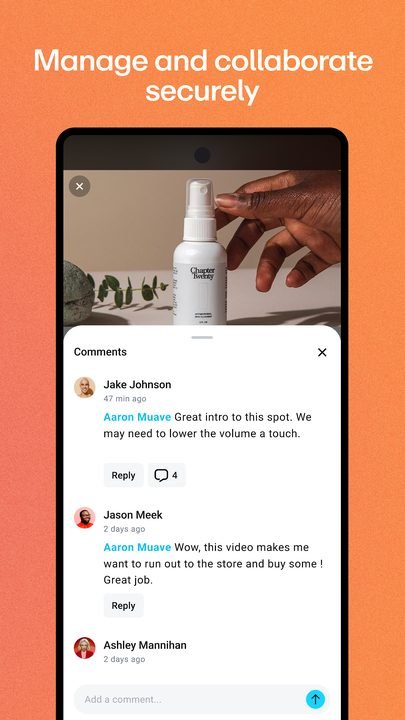
- Collaboration features to share drafts and gather feedback from your team or clients.
- Secure links for internal reviews before publishing.
How to download and install Vimeo on Android
- Tap the official download button on this page, which takes you to Google Play.
- Once on the Google Play listing, check that the developer is Vimeo Inc.
- Tap the "Install" button and wait for the download to finish.
- Open the app once the process is complete.
- Sign in with your Vimeo account or create a new free one.
- Grant the necessary permissions and start uploading or watching videos.
System requirements
- System: a recent version of Android compatible with the latest available version of the app.
- Storage: a few hundred MB free, plus the space taken up by your downloaded videos or those being uploaded.
- Connection: Wi-Fi recommended to upload or play content in high quality.
- Account: a Vimeo account is recommended to take advantage of uploading and the creator features.
Pros and cons of Vimeo
✓ Advantages
- Ad-free player with very carefully preserved image quality.
- Professional, clean environment aimed at creators and companies.
- Advanced privacy controls for every video.
- Collaboration tools that are useful for teams and clients.
- Safe download from Google Play with no intrusive advertising.
✕ Disadvantages
- Its community is smaller than that of mass-market platforms.
- Some advanced features depend on optional paid plans.
- Storage on the free account is limited.
- It isn't as focused on viral content discovery.
Vimeo versus its alternatives
Vimeo competes with the big video platforms, but it stands out for its professional focus and its ad-free player. This table sums up how it stacks up against other popular options:
| App | Strength | Platform |
|---|---|---|
| Vimeo | High quality, ad-free player and professional focus | Android |
| YouTube | Massive reach and content discovery | Android / iOS |
| Dailymotion | Varied video catalog and open streaming | Android / iOS |
Common Vimeo problems and solutions
A video upload stalls halfway through
Check your Wi-Fi connection, close other apps that use up data and try again. High-quality files are larger, so it's best to upload them over a stable network.
The video plays choppily
Lower the resolution from the player settings or switch to a faster connection. Closing background apps also helps.
I can't watch a private video
Private videos require permission from the creator or a specific link. Request access or the direct link from whoever posted it.
The app closes on its own
Update to the latest available version from Google Play, restart your phone and, if it continues, clear the app's cache from your Android settings.
What's new in Vimeo in 2026
Over the course of this year Vimeo has kept polishing the mobile experience with performance improvements to uploading and playback, a clearer interface for managing projects and privacy controls that are easier to apply. The collaboration side has also been strengthened, making it easier to share drafts and gather feedback directly from your phone. The updates are geared toward letting creators and companies work more nimbly without leaving the app.
Frequently asked questions about Vimeo
Is Vimeo free?
Yes, you can download the app and create a free account to watch and upload videos. There are also optional paid plans that expand storage and unlock advanced features for creators and companies.
Is it safe to download Vimeo?
Yes, as long as you do it from the official Google Play, as this page links to. That way you make sure you install the legitimate version published by Vimeo Inc. with no risks.
Does Vimeo work on iPhone?
Yes, Vimeo also has an iOS app, although this listing focuses on the Android version.
Can I control who watches my videos?
Yes, Vimeo offers privacy controls that let you make a video public, private or accessible only via a link.
Conclusion: is Vimeo worth it in 2026?
Vimeo remains one of the best options for those looking to host and share video with professional quality, no ads and full control over privacy. Its focus on creators and companies, together with its collaboration tools, make it a solid platform for presenting audiovisual work. If your priority is viral reach you may want to combine it with other platforms, but for portfolios, corporate projects and carefully crafted content, Vimeo is worth it. Always download it from the official Google Play and explore other standout video apps on the site as well.
Features
Screenshots

How to Download & Install Vimeo
Click the download button above to get the latest APK file.
Go to Settings > Security > Enable "Install from Unknown Sources" or allow your browser to install apps.
Open your file manager and navigate to the Downloads folder to find the APK file.
Tap the APK file and follow the on-screen instructions to complete the installation.
Launch Vimeo from your app drawer and enjoy all its features!
Ready to Download?
Vimeo · Varía según el dispositivo · Safe & Verified
Frequently Asked Questions
Is Vimeo safe?
The button takes you to the official Google Play listing, which scans apps with Google Play Protect. Modilimitado does not host the file. Avoid modified APKs from other sites.
Is Vimeo free?
Yes, Vimeo is free. The button takes you to the official Google Play listing. Modilimitado does not host the file.
Will it work on my device?
Requirement listed on this page: Android 5.0+. Check the store or the official website to see if your model is supported.
Do I need to create an account?
No, you don't need to sign up to download Vimeo.
How do I update to the latest version?
Come back to this page to get the latest version. We update Vimeo regularly.