
Video: How to download Snapchat
About Snapchat
What is Snapchat?
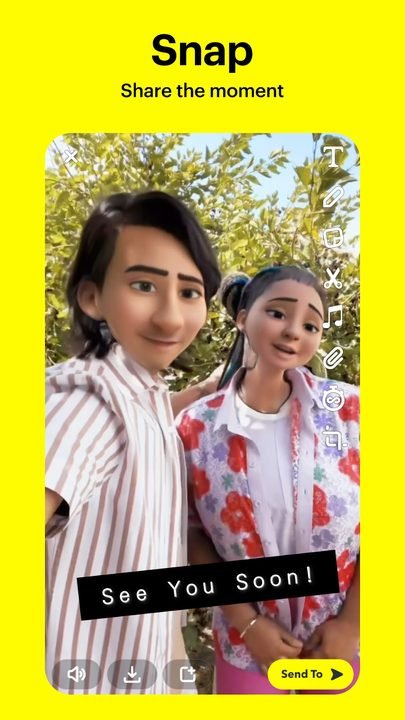
Snapchat is a messaging and social media app developed by Snap Inc. that popularized a simple yet revolutionary concept: messages that disappear. Instead of piling up endless conversations, the app is built around ephemeral, spontaneous and visual communication, where a photo or a video is worth more than a thousand words. Ever since its launch, it became the favorite space for millions of people to share everyday moments without the pressure of having them stored forever.
Over the years, Snapchat stopped being just an app for sending “snaps” and turned into a complete platform: it added augmented reality through its famous filters and lenses, a social map to see where your friends are, a short-video space called Spotlight and even a conversational assistant powered by artificial intelligence. Today it is one of the most recognized communication apps in the world, especially among younger audiences who value closeness, creativity and privacy.
Snapchat 2026 main features
Snapchat combines instant messaging, a creative camera and content discovery in a single interface. These are the features that define the experience and set it apart from other social networks.
🔧 Communication and content
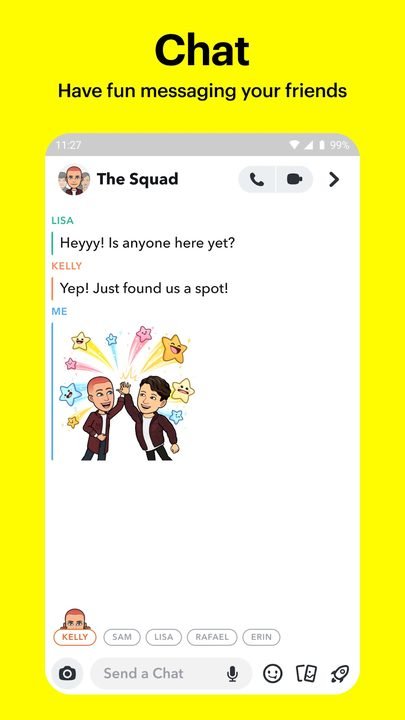
- Ephemeral messages: photo and video snaps disappear after being viewed, and chats are deleted by default once closed, which encourages more natural conversations.
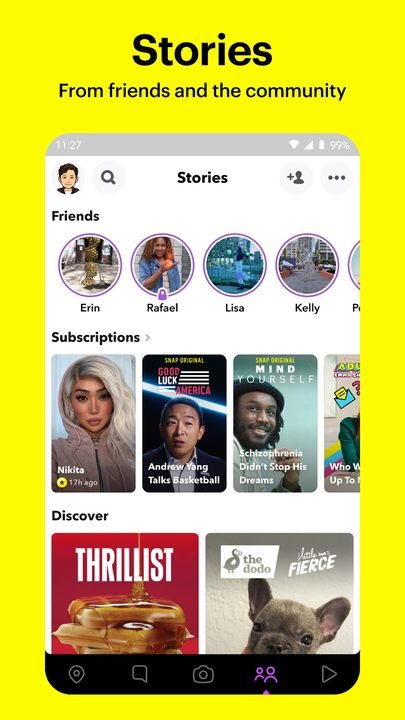
- Stories: share a sequence of photos and videos visible for 24 hours to your friends or publicly, perfect for telling the story of your day.
- Spotlight: a feed of short vertical videos where the community posts its best creations and you discover viral content.
✨ Creativity and augmented reality
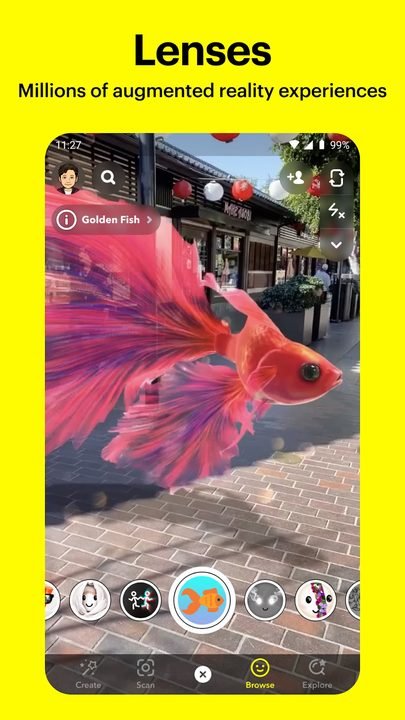
- AR filters and lenses: thousands of augmented reality effects transform your face and your surroundings in real time, from the classic fun ones to lenses created by the community.
- Memories: save your favorite snaps in a private space inside the app to rewatch, edit or share them whenever you want.
- My AI: a conversational assistant powered by artificial intelligence that answers questions, suggests ideas and recommends lenses or places.
🔐 Connection and privacy
- Snap Map: an interactive map where you can see the location of friends who share it and discover what's happening around you, with a ghost mode to hide yourself.
- Audience control: you decide who can send you snaps, view your Stories or find you on the map.
- Screenshot notification: the app alerts you when someone takes a screenshot of your snap, reinforcing the sense of privacy.
How to download and install Snapchat on Android
- Tap the official download button on this page, which takes you to Google Play.
- On the Google Play listing, tap the “Install” button to start the download.
- Wait for the app to download and install automatically on your device.
- Open Snapchat and create an account with your email or phone number, or sign in if you already have one.
- Grant camera, microphone and contacts permissions to make the most of every feature.
- Add your friends and start sending your first snap.
System requirements
- System: Android compatible with the latest version available on Google Play.
- Storage: enough free storage for the app and its regular updates.
- Connection: a stable internet connection over Wi-Fi or mobile data to send and receive snaps.
- Account: an email address or phone number to sign up and verify your identity.
Snapchat pros and cons
✓ Advantages
- Ephemeral messages that prioritize privacy and spontaneity.
- A huge catalog of augmented reality filters and lenses.
- A camera-focused interface that is fast and fun.
- Social features like Snap Map and Stories to keep you connected.
- Built-in My AI assistant at no extra cost.
✕ Disadvantages
- The gesture-based interface has an initial learning curve.
- Ephemeral content can make it hard to recover important messages.
- Some advanced features are reserved for the Snapchat+ subscription.
- Heavy use of the camera and AR can drain the battery.
Snapchat versus its alternatives
Although it shares ground with other social networks, Snapchat keeps its own identity thanks to its ephemeral approach and its powerful camera with augmented reality. This table sums up how it stacks up against its main rivals.
| App | Strong point | Platform |
|---|---|---|
| Snapchat | Ephemeral messaging and AR lenses | Android |
| Visual feed and a broad community | Android / iOS | |
| TikTok | Short videos and a viral algorithm | Android / iOS |
Common Snapchat problems and solutions
The camera looks black or won't load the lenses
Close the app completely and open it again. If it persists, check that Snapchat has camera permissions enabled in your Android settings and that the app is updated to the latest available version.
Snaps won't send or stay loading
This is usually caused by an unstable connection. Switch between Wi-Fi and mobile data, check your signal and try again. Restarting your phone also helps free up the connection.
I'm not getting notifications for new messages
Go to your system settings, look for Snapchat and make sure notifications are enabled. Inside the app, also check the notifications section to turn on alerts.
The app uses too much battery
Continuous use of the camera, AR and location is demanding. Turn on ghost mode in Snap Map when you don't need it and close the app after using it to reduce background consumption.
What's new in Snapchat in 2026
In its most recent version, Snapchat has strengthened the integration of artificial intelligence into the daily experience, with a more useful My AI that suggests lenses, places and replies. The augmented reality filters gain realism and accuracy, while Spotlight improves its recommendations for discovering creators. The privacy controls, overall stability and camera performance have also been polished, delivering a smoother and more customizable app without losing the ephemeral essence that made it famous.
Frequently asked questions about Snapchat
Is Snapchat free?
Yes, Snapchat is a free app that you can download and use at no cost. There is an optional subscription called Snapchat+ that adds exclusive features, but it isn't required to enjoy the full experience.
Is it safe to download Snapchat?
Yes, as long as you do it from the official Google Play, which is where this page links. That way you make sure you get the legitimate version, free of modifications and with all the latest security updates.
Does Snapchat work on iPhone?
Yes, in addition to Android, Snapchat is available for iPhone devices through the App Store, with the same core features.
Do Snapchat messages really disappear?
By default, snaps and chats are deleted after being viewed or when you close the conversation, although you can save specific messages, or the other user could take screenshots, something the app usually notifies you about.
Conclusion: is Snapchat worth it in 2026?
Snapchat remains one of the freshest and most creative communication apps on the market. Its blend of ephemeral messaging, a camera with augmented reality, social features like Snap Map and Stories, and now an artificial intelligence assistant, keeps it relevant against much larger competitors. If you're looking for a fun, visual and privacy-respecting way to connect with your friends, downloading it from Google Play is a safe bet. It's especially recommended for those who enjoy sharing the moment without the pressure of leaving a permanent trace.
Features
Screenshots

How to Download & Install Snapchat
Click the download button above to get the latest APK file.
Go to Settings > Security > Enable "Install from Unknown Sources" or allow your browser to install apps.
Open your file manager and navigate to the Downloads folder to find the APK file.
Tap the APK file and follow the on-screen instructions to complete the installation.
Launch Snapchat from your app drawer and enjoy all its features!
Ready to Download?
Snapchat v13.15.0 · 95.4 MB · Safe & Verified
What's New v13.15.0
v13.15.0: Latest update with performance improvements and new features.
Frequently Asked Questions
Is Snapchat safe?
The button takes you to the official Google Play listing, which scans apps with Google Play Protect. Modilimitado does not host the file. Avoid modified APKs from other sites.
Is Snapchat free?
Yes, Snapchat is free. The button takes you to the official Google Play listing. Modilimitado does not host the file.
Will it work on my device?
Requirement listed on this page: Android 5.0+. Check the store or the official website to see if your model is supported.
Do I need to create an account?
No, you don't need to sign up to download Snapchat.
How do I update to the latest version?
Come back to this page to get the latest version. We update Snapchat regularly.