Video: How to download Disney+ Hotstar
About Disney+ Hotstar
What is Disney+?
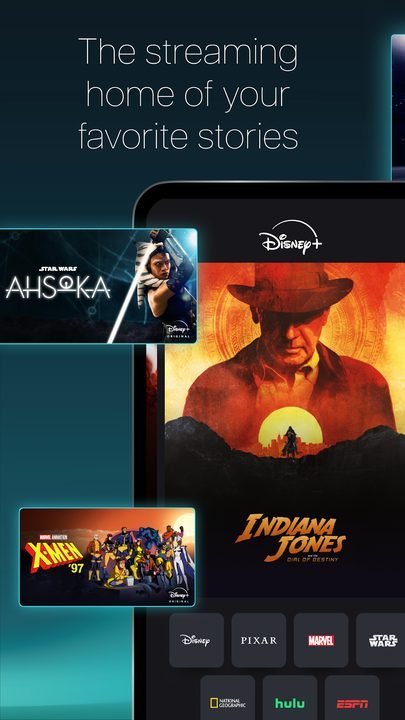
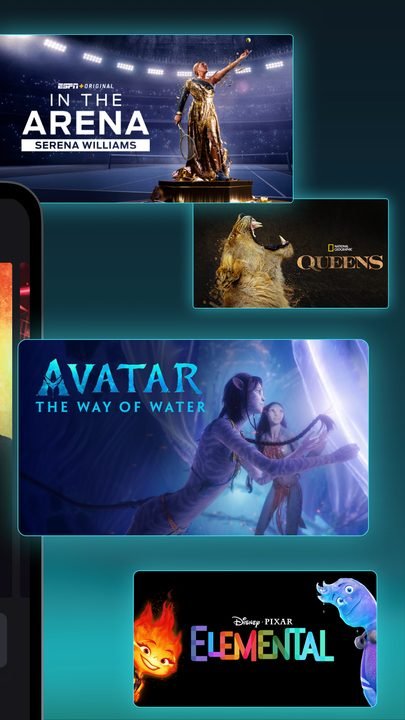
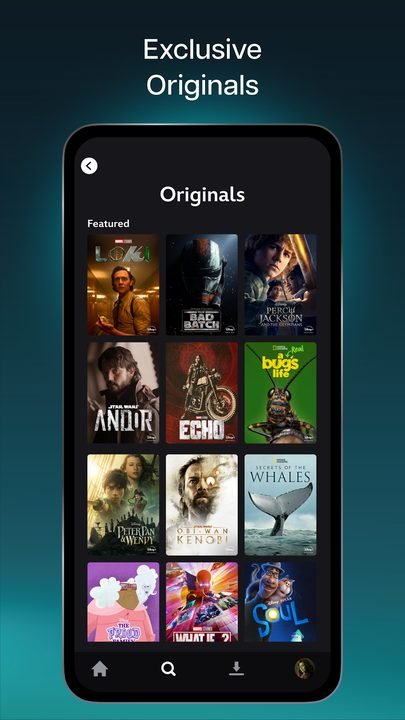
Disney+ is the official streaming service from The Walt Disney Company, a paid subscription platform that brings together the catalog of its biggest brands in one place: Disney, Pixar, Marvel, Star Wars and National Geographic. From its Android app you can watch movies, series, documentaries, short films and exclusive premieres, both classics that shaped several generations and original productions created specifically for the platform.
Unlike other options on the market, Disney+ bets on a family-friendly, brand-driven approach: here you'll find complete sagas, neatly organized cinematic universes and content designed for all ages, with solid parental controls. It's a legal and safe way to enjoy your favorite entertainment, and the app is officially available on Google Play so you can install it risk-free on your Android phone or tablet.
Key features of Disney+ 2026
Disney+ pairs a top-tier catalog with technical features that enhance the viewing experience. These are the app's standout capabilities.
🔧 Catalog and content
- Full access to the libraries of Disney, Pixar, Marvel and Star Wars.
- Nature documentaries and series from National Geographic.
- Original and exclusive premieres you won't find on other platforms.
✨ Quality and experience
- Playback in high definition and up to 4K UHD with HDR on supported titles.
- Offline downloads to watch your movies and series without an internet connection.
- GroupWatch to sync playback and watch content at the same time with friends and family remotely.
🔐 Profiles and control
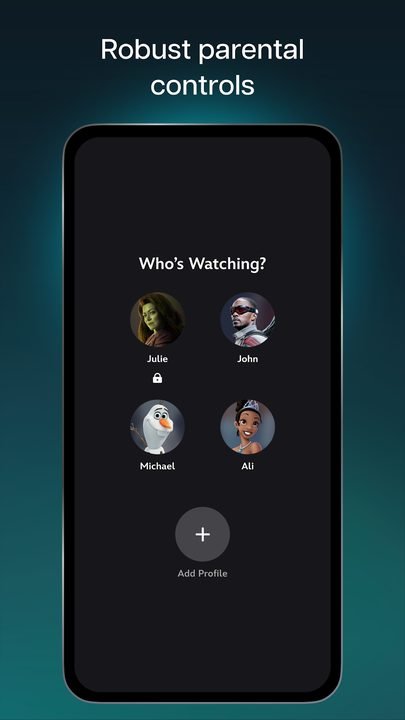
- Multiple profiles per account to personalize recommendations for each member of the household.
- Kids profile with a simplified interface and content suitable for younger viewers.
- Parental controls and PIN lock to restrict titles based on age rating.
How to download and install Disney+ on Android
- Tap the official download button on this page, which takes you to Google Play.
- On the app's listing, tap the "Install" button to start the download.
- Wait for the installation to finish; the process is automatic and only takes a few seconds.
- Open the app from the Disney+ icon that appears on your home screen.
- Sign in with your account or create a new one and activate your paid subscription.
- Choose your profile, browse the catalog and start playing whatever content you like.
System requirements
- System: Android 5.0 or higher (a recent version is recommended for high-quality playback).
- Storage: A few hundred MB for the app, plus the extra space you need for your offline downloads.
- Connection: Stable Wi-Fi or mobile data; a good speed is recommended for 4K.
- Account: A Disney+ account with an active subscription to access the content.
Pros and cons of Disney+
✓ Advantages
- Exclusive catalog from Disney, Pixar, Marvel, Star Wars and National Geographic.
- Image quality up to 4K UHD with HDR on supported titles.
- Offline downloads for trips or areas without internet.
- Separate profiles and a well-crafted kids mode.
- GroupWatch feature to watch together from a distance.
✕ Disadvantages
- Requires a paid subscription to access the content.
- The catalog can vary depending on the country or region.
- Less content for adult audiences than other general-purpose platforms.
- Some premieres arrive on the platform later than in theaters.
Disney+ versus its alternatives
Disney+ competes with the giants of streaming, but it stands out for its exclusive brands and its family focus. This table sums up how it stacks up against other popular options.
| App | Strength | Platform |
|---|---|---|
| Disney+ | Exclusive brands (Marvel, Star Wars, Pixar) and family content | Android |
| Netflix | Broad original catalog and variety of genres | Android / iOS |
| HBO Max | Prestige series and Warner Bros. movies | Android / iOS |
Common Disney+ problems and solutions
The app won't load or gets stuck on the start screen
Close the app completely and reopen it. If the issue persists, check your connection, update the app from Google Play and, as a last resort, clear the cache from your device's settings.
The video looks low quality or keeps stopping
This is usually caused by a slow connection. Connect to a stable Wi-Fi network, close other apps that use data and check in the playback settings that the quality isn't limited to data-saver mode.
I can't sign in to my account
Make sure your email and password are correct and that your subscription is active. If you forgot your password, use the recovery option. Also make sure you have the latest available version of the app installed.
Offline downloads won't play
Downloads require you to open the app now and then to validate the license. Connect to the internet, make sure you have enough space on the device and download the title again if the file has expired.
What's new in Disney+ in 2026
In its latest available version, Disney+ has kept refining the experience with performance improvements in playback, faster loading times and a smoother navigation interface. Personalized recommendations by profile have been strengthened, compatibility with high-quality image and sound formats has been expanded, and offline downloads and the GroupWatch feature have been optimized. The platform keeps adding exclusive premieres from its main brands on a regular basis.
Frequently asked questions about Disney+
Is Disney+ free?
No. Disney+ is a paid subscription service; the app is free to download from Google Play, but you need an active subscription to watch the content. It usually offers different plans depending on the country.
Is it safe to download Disney+?
Yes, as long as you do it from the official Google Play, which is what this page links to. Avoid third-party APK files or "modified" versions, as they can be unsafe and are not legal.
Does Disney+ work on iPhone?
Yes, in addition to Android, Disney+ is available for iPhone and iPad through the App Store, as well as on smart TVs, consoles and web browsers.
Can I watch Disney+ without an internet connection?
Yes. The app lets you download movies and series to watch them offline, ideal for trips. You just need to connect every so often to validate your subscription.
Conclusion: is Disney+ worth it in 2026?
Disney+ is one of the most recommendable streaming platforms for anyone who values quality content, exclusive brands and a safe environment for the whole family. Its combination of an iconic catalog, 4K playback, offline downloads and features like GroupWatch make it a very solid choice. If you're a fan of Marvel, Star Wars, Pixar or the Disney classics, the subscription is worth it. Remember to always download the app from the official Google Play, just as this page links to, so you can enjoy it legally and risk-free.
Features
Screenshots

How to Download & Install Disney+ Hotstar
Click the download button above to get the latest APK file.
Go to Settings > Security > Enable "Install from Unknown Sources" or allow your browser to install apps.
Open your file manager and navigate to the Downloads folder to find the APK file.
Tap the APK file and follow the on-screen instructions to complete the installation.
Launch Disney+ Hotstar from your app drawer and enjoy all its features!
Ready to Download?
Disney+ Hotstar v3.1.3 · 52 MB · Safe & Verified
What's New v3.1.3
v3.1.3: Latest update with new features, performance improvements and bug fixes.
Frequently Asked Questions
Is Disney+ Hotstar safe?
The button takes you to the official Google Play listing, which scans apps with Google Play Protect. Modilimitado does not host the file. Avoid modified APKs from other sites.
Is Disney+ Hotstar free?
No. Disney+ Hotstar is paid on Google Play: you buy it once there. The button takes you to the official Google Play listing. Modilimitado does not host the file.
Will it work on my device?
Requirement listed on this page: Android 5.0+. Check the store or the official website to see if your model is supported.
Do I need to create an account?
No, you don't need to sign up to download Disney+ Hotstar.
How do I update to the latest version?
Come back to this page to get the latest version. We update Disney+ Hotstar regularly.