About Character AI
What is Character AI?
Character AI (Character.AI) is a conversational artificial intelligence app developed by Character.AI that lets you chat with virtual characters powered by language models. Each character has its own personality, conversation style and context, so you can talk with recreated historical figures, helpful assistants, tutors, language practice partners or fictional characters created by the community. The core idea is that the AI does not respond in a generic way, but rather “in the role” of the character you choose to talk with.
The app is available for free on Android and its download is always done from the official Google Play. Character AI stands out for combining text and voice conversation with a huge library of characters, plus the ability to create your own. It is a tool designed both for entertainment and roleplay and for practicing writing, languages or simply chatting. There is an optional subscription called c.ai+, but it is not required to use the app.
Main features of Character AI 2026
Character AI offers a set of features focused on personalized AI conversation. These are the most relevant ones.
🔧 Conversation with AI characters
- Customizable AI characters, each with its own personality, tone and knowledge.
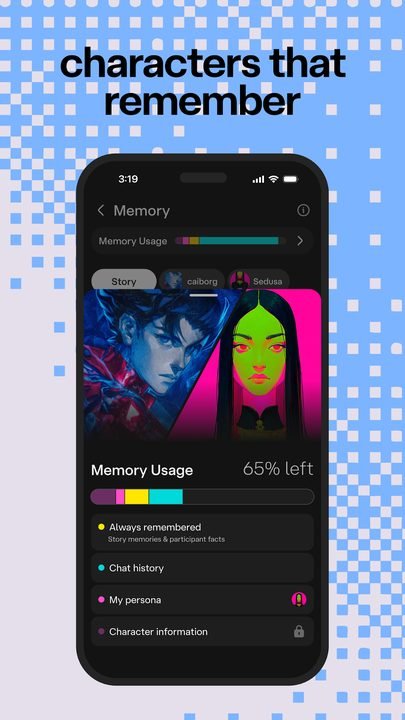
- Smooth text conversations with memory within each chat.
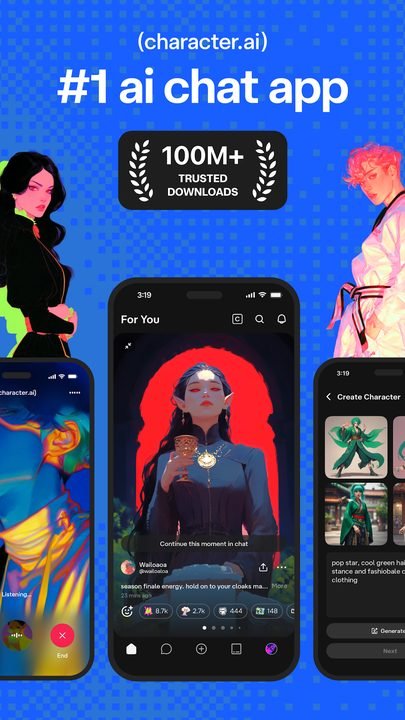
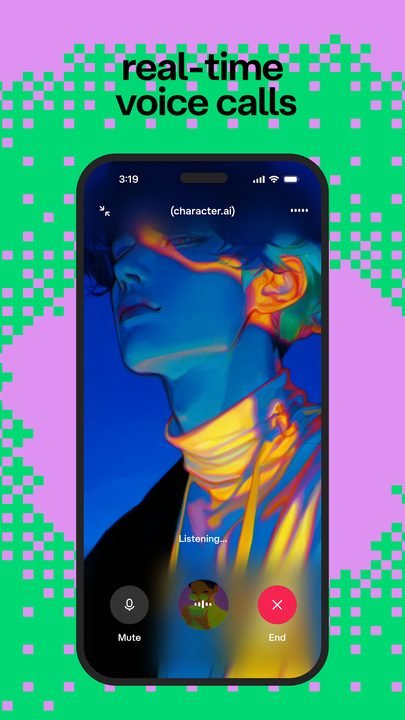
- Voice mode to talk with the characters and hear their responses in audio.
✨ Creation and community
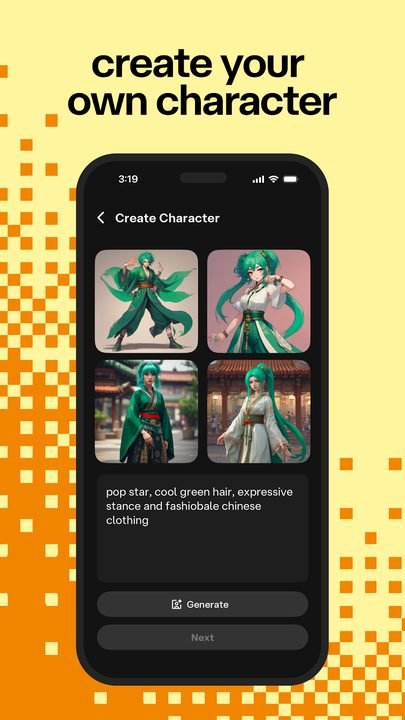
- Creation of your own characters by defining their description, greeting and way of behaving.
- Active community that shares thousands of public characters ready to use.
- Roleplay scenarios to experience interactive stories or practice specific situations.
🔐 Settings, account and control
- Personal account that saves your chats and favorite characters across devices.
- Controls to manage your conversation history and privacy.
- Filters and moderation mechanisms aimed at responsible use of the app.
How to download and install Character AI on Android
- Tap the official download button on this page, which takes you to Google Play.
- On the Character AI listing within Google Play, tap the Install button.
- Wait for the app to download and install automatically on your device.
- Open Character AI from the icon that appears on your home screen or in the app drawer.
- Create an account or sign in with your email or Google account to save your chats.
- Explore the character library, pick one and start chatting.
System requirements
- System: Android in a recent version compatible with the latest version available on Google Play.
- Storage: A few dozen MB free for the app installation.
- Connection: A stable internet connection over Wi-Fi or mobile data, since responses are processed in the cloud.
- Account: An email or Google account to sign up and sync your conversations.
Pros and cons of Character AI
✓ Advantages
- Huge variety of characters for entertainment, study or practice.
- Lets you create your own characters without technical knowledge.
- Conversations by text and also by voice.
- Free to use; the c.ai+ subscription is optional.
- Useful for practicing languages, writing and creativity.
✕ Disadvantages
- The AI's responses may contain errors or inaccurate information.
- Requires a permanent internet connection to work.
- Some advanced features are reserved for the subscription.
- Responsible and moderate use is advisable, especially with minors.
Character AI versus its alternatives
Character AI competes with other conversational AI apps, although its focus on characters and roleplay sets it apart. The following table summarizes the strengths of each one.
| App | Strength | Platform |
|---|---|---|
| Character AI | Chat with thousands of AI characters and create your own | Android |
| ChatGPT | Versatile general assistant for tasks, writing and queries | Android / iOS |
| Replika | Virtual companion focused on personal support | Android / iOS |
Common Character AI problems and solutions
The character is slow to respond or gives an error
This is usually due to the connection or peaks in service usage. Check your internet, close and reopen the app, or try again a few minutes later.
The AI gives incoherent or repeated responses
This is normal in conversational models. Rephrase your message, provide more context or start a new chat to reset the character's conversation.
I can't sign in or I lost my chats
Make sure you use the same email or Google account you signed up with. Staying signed in prevents losing the history saved in your account.
Voice mode doesn't work
Check that you have granted microphone permissions to the app and that you have a good connection. Update to the latest available version if the problem continues.
What's new in Character AI in 2026
In its latest available version, Character AI has improved the naturalness and coherence of conversations, with faster responses and a more polished voice mode. Character creation has been optimized to make it simpler, the library has been refined to discover community content, and the filters and controls designed for responsible use have been strengthened. The app has also gained stability on mid-range devices and improved the management of history and conversation privacy, keeping most features accessible for free.
Frequently asked questions about Character AI
Is Character AI free?
Yes. You can chat with characters and create your own without paying. There is an optional subscription, c.ai+, that offers perks such as faster responses and priority access, but it is not required to use the app.
Is it safe to download Character AI?
Yes, as long as you do it from the official Google Play, as this page links to. That way you install the legitimate, verified version, without modified files from external sources.
Does Character AI work on iPhone?
Yes. Although this listing focuses on Android, Character AI is also available for iPhone through Apple's official App Store.
Is the information Character AI gives reliable?
Not always. The characters generate responses with AI and can make mistakes or invent data, so it is advisable to verify important information and use the app responsibly.
Conclusion: is Character AI worth it in 2026?
Character AI is one of the most interesting apps if you like the idea of conversing with AI characters, whether to entertain yourself, practice languages, write stories or unleash your creativity with roleplay. The download is free from Google Play, character creation is within anyone's reach and the c.ai+ subscription remains an optional extra. Like any AI tool, it requires responsible use and some critical thinking about its responses, but for those looking for personalized and creative chats on their phone, it is worth having installed.
Features
Screenshots
How to Download & Install Character AI
Click the download button above to get the latest APK file.
Go to Settings > Security > Enable "Install from Unknown Sources" or allow your browser to install apps.
Open your file manager and navigate to the Downloads folder to find the APK file.
Tap the APK file and follow the on-screen instructions to complete the installation.
Launch Character AI from your app drawer and enjoy all its features!
Ready to Download?
Character AI · Varía según el dispositivo · Safe & Verified
Frequently Asked Questions
Is Character AI safe?
The button takes you to the official Google Play listing, which scans apps with Google Play Protect. Modilimitado does not host the file. Avoid modified APKs from other sites.
Is Character AI free?
Yes, Character AI is free. The button takes you to the official Google Play listing. Modilimitado does not host the file.
Will it work on my device?
Requirement listed on this page: Android 5.0+. Check the store or the official website to see if your model is supported.
Do I need to create an account?
No, you don't need to sign up to download Character AI.
How do I update to the latest version?
Come back to this page to get the latest version. We update Character AI regularly.