
About Bigo Live
What is Bigo Live?
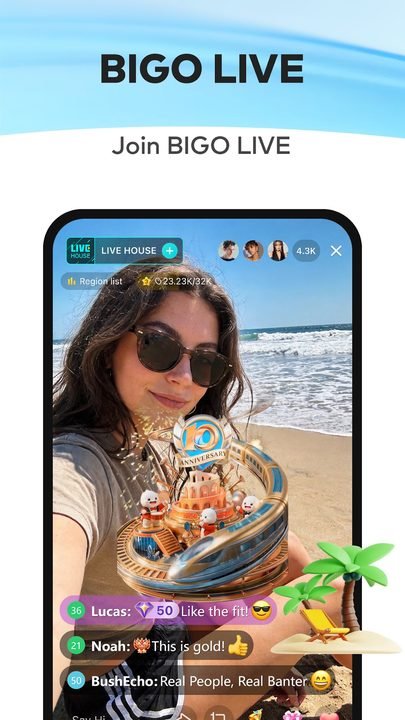
Bigo Live is a live-streaming social platform developed by BIGO Technology Pte. Ltd. that lets any user broadcast live video, join audio rooms and connect with a global community straight from their phone. It started out as a casual streaming app and today it works as a space where creators, musicians, gamers and everyday people share their daily lives, show off their talent or simply chat in real time with viewers from all over the world.
Unlike a traditional social network built around static posts, Bigo Live revolves around going live: what you see is happening right now, and you can interact instantly through comments, reactions and virtual gifts. The app is available for free on Android and is always downloaded from the official Google Play, with no need to rely on outside sources. In-app coin purchases are entirely optional and aren't required to watch streams or to broadcast your own.
Key features of Bigo Live 2026
Bigo Live combines several live communication tools within a single app. These are its most notable features.
🔧 Live streaming and communication
- One-tap live streaming to broadcast video to your audience in real time.
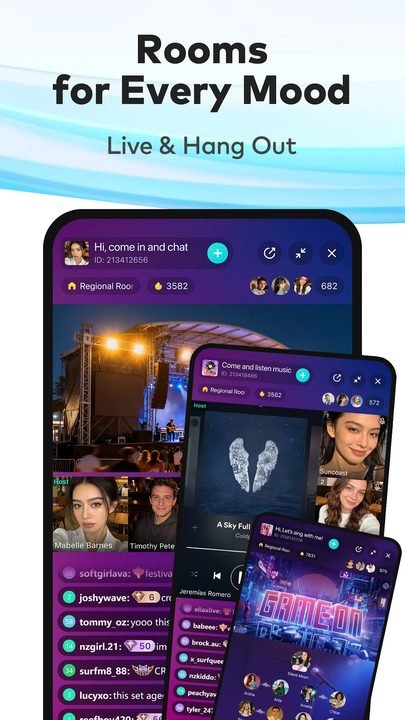
- Audio rooms where several people can talk, sing or debate without turning on the camera.
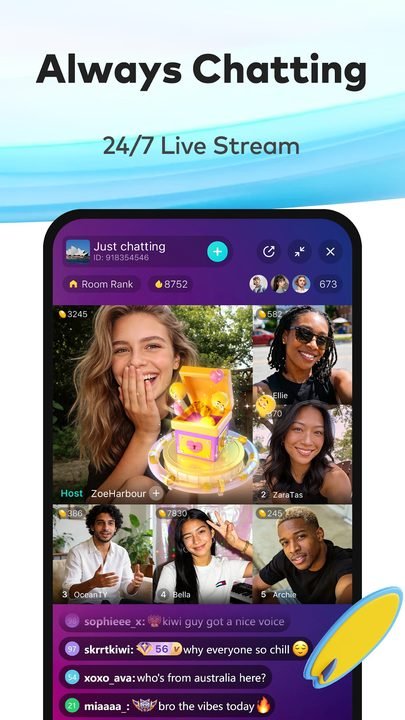
- Video calls and multi-streaming to connect with other creators or friends on the same screen.
✨ Community, gifts and entertainment
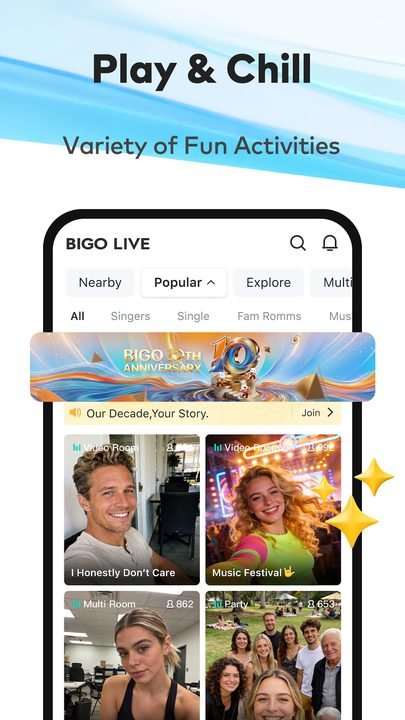
- A global community with users from more than 150 countries and content in multiple languages.
- Virtual gifts and coins that viewers can send to support their favorite creators (optional use).
- Live games and interactive mini-games that liven up broadcasts and audience participation.
🔐 Profile, moderation and control
- A customizable profile with levels, badges and followers to build your presence.
- Moderation tools to manage comments and mute or block users during your broadcasts.
- Privacy settings and safety controls to decide who can interact with you.
How to download and install Bigo Live on Android
- Tap the official download button on this page, which takes you to Google Play.
- On the Bigo Live listing inside Google Play, tap the Install button.
- Wait for the app to download and install automatically on your device.
- Open Bigo Live from the icon on your home screen or in the app drawer.
- Sign up or log in with your Google account, phone number or another supported social network.
- Set up your profile and start exploring streams or broadcasting your own.
System requirements
- System: A recent version of Android compatible with the latest release available on Google Play.
- Storage: Several tens of MB free for the installation, plus extra space for the video cache.
- Connection: A stable internet connection over Wi-Fi or mobile data; a good signal is recommended for going live.
- Account: An email, phone number or social account to register and save your progress.
Pros and cons of Bigo Live
✓ Advantages
- Combines live video, audio rooms and video calls in a single app.
- A very active global community with content available around the clock.
- Free to watch and broadcast; purchases are optional.
- Simple interface, ideal for starting to stream with no prior experience.
- Moderation and privacy tools to keep your broadcasts under control.
✕ Disadvantages
- Virtual gifts can encourage spending if they aren't kept in check.
- The quality of your live stream depends heavily on your internet connection.
- Since it's a huge community, it's worth tightening your privacy settings.
- A good chunk of the most visible content revolves around gifts and rankings.
Bigo Live versus its alternatives
Bigo Live competes with other live-streaming platforms, though each one takes a different approach. The table below sums up their main differences.
| App | Strength | Platform |
|---|---|---|
| Bigo Live | Social live streaming with audio rooms, gifts and a global community | Android |
| Twitch | Streaming focused on gaming and creators with loyal audiences | Android / iOS |
| TikTok Live | Live streams built into a short-video network with enormous reach | Android / iOS |
Common Bigo Live problems and solutions
The stream looks choppy or lagged
This usually comes down to an unstable connection. Move closer to the router, switch to Wi-Fi if you're on mobile data, or lower the stream quality from the app's settings.
I can't log in to my account
Make sure you're using the same method you signed up with (Google, phone or a social network). Check your connection and, if the problem persists, update the app to the latest available version.
The app uses a lot of battery or data
Live video is demanding. Close the app when you're not using it, limit your broadcasting time and turn on data-usage alerts from your Android settings.
I'm getting unwanted messages or comments
Use the moderation tools: you can mute, block or report users, and adjust who can message you from your privacy settings.
What's new in Bigo Live in 2026
In its latest available version, Bigo Live has kept refining the live experience with more stable broadcasts, faster loading times and a cleaner interface for discovering content. Moderation tools and privacy controls have been strengthened, giving creators more power to manage their broadcasts and viewers more options to personalize what they see. Performance on mid-range devices has also been optimized, and improvements have been added to the audio rooms and live games, with the focus on a safer and more engaging community.
Frequently asked questions about Bigo Live
Is Bigo Live free?
Yes. Downloading and using Bigo Live is free: you can watch streams and broadcast your own without paying. Only coins and virtual gifts are paid, and buying them is entirely optional.
Is it safe to download Bigo Live?
Yes, as long as you do it from the official Google Play, as this page links to. That way you make sure you install the legitimate, verified version, without modified files from outside sources.
Does Bigo Live work on iPhone?
Yes. Although this listing focuses on Android, Bigo Live is also available for iPhone through Apple's official App Store.
Do I need to buy coins to use Bigo Live?
No. Coins are used to send gifts to other creators, but they aren't necessary to watch content or to stream. You can enjoy the app without spending anything.
Conclusion: is Bigo Live worth it in 2026?
Bigo Live is one of the most complete options if you're looking for a live app that brings together video streaming, audio rooms, video calls and a global community all in one place. Its learning curve is low, the download is free from Google Play and purchases always stay in the background as something optional. If you're interested in going live, discovering creators or simply chatting with people from all over the world in real time, it's worth a try; you just have to keep an eye on gift spending and fine-tune your privacy to get the most out of it with peace of mind.
Features
Screenshots

How to Download & Install Bigo Live
Click the download button above to get the latest APK file.
Go to Settings > Security > Enable "Install from Unknown Sources" or allow your browser to install apps.
Open your file manager and navigate to the Downloads folder to find the APK file.
Tap the APK file and follow the on-screen instructions to complete the installation.
Launch Bigo Live from your app drawer and enjoy all its features!
Ready to Download?
Bigo Live · Varía según el dispositivo · Safe & Verified
Frequently Asked Questions
Is Bigo Live safe?
The button takes you to the official Google Play listing, which scans apps with Google Play Protect. Modilimitado does not host the file. Avoid modified APKs from other sites.
Is Bigo Live free?
Yes, Bigo Live is free. The button takes you to the official Google Play listing. Modilimitado does not host the file.
Will it work on my device?
Requirement listed on this page: Android 5.0+. Check the store or the official website to see if your model is supported.
Do I need to create an account?
No, you don't need to sign up to download Bigo Live.
How do I update to the latest version?
Come back to this page to get the latest version. We update Bigo Live regularly.