Netflix v8.142.0
About Netflix
What is Netflix?
Netflix is the official app for the subscription streaming service developed by Netflix, Inc., the U.S. company that popularized watching series and movies on demand. With this app you can play thousands of titles right on your Android phone or tablet, with no heavy downloads or fixed schedules: you choose what to watch and when to watch it.
Its biggest draw is the original productions, exclusive series and movies that have become global phenomena. The platform pairs a broad catalog with a recommendation system that learns your taste, profiles for the whole family, and the option to download content to watch offline. The app is free, but you need a paid account to access the full catalog.
Netflix 2026 key features
These are the features that make Netflix one of the most complete entertainment apps out there.
🔧 Playback
- HD and 4K streaming depending on your plan and device.
- Downloads to watch series and movies offline.
- Resume playback right where you left off on any screen.
✨ Content and personalization
- Exclusive Netflix original productions.
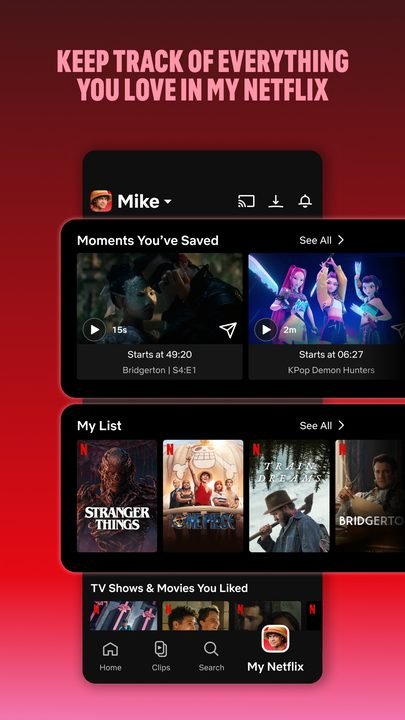
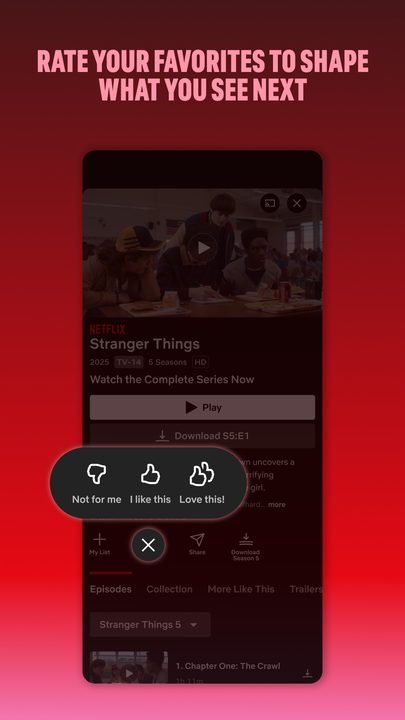
- Individual profiles with tailored recommendations.
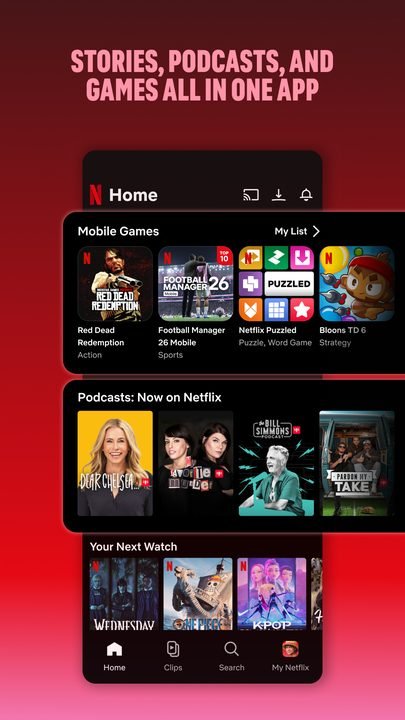
- A catalog of mobile games included with your subscription.
🔐 Family controls
- Kids mode with content suitable for children.
- PIN-based parental controls and per-profile limits.
- Device management and remote sign-out.
How to download and install Netflix on Android
- Tap the official download button on this page, which takes you to Google Play.
- On the Netflix listing, tap “Install” and wait for the download to finish.
- Open the app from the red icon that appears on your home screen.
- Sign in with your Netflix account, or create one if you don't have it yet.
- Choose or create your profile and start browsing the catalog.
- To watch offline, download compatible titles from their listing.
System requirements
- System: Android 7.0 or higher.
- Storage: about 30 MB for the app, plus extra space for downloaded titles.
- Connection: a stable internet connection over Wi-Fi or mobile data; 4K needs a good speed.
- Account: a paid Netflix subscription to play the full catalog.
Netflix pros and cons
✓ Pros
- Broad catalog with constant new releases.
- High-quality exclusive original productions.
- Downloads for offline viewing.
- Profiles and personalized recommendations.
- Smooth, easy-to-use interface.
✕ Cons
- Requires a paid monthly subscription.
- The catalog varies by country.
- Some titles rotate and disappear over time.
- 4K is only available on the most expensive plan.
Netflix versus the alternatives
Netflix competes with Disney+, Amazon Prime Video and Max. Against Disney+ it offers a more varied catalog for adult audiences; against Prime Video it wins on interface and original productions, though Prime bundles more extras into its subscription; and against Max it stands out for its wider international reach and volume of new releases.
| App | Strength | Platform |
|---|---|---|
| Netflix | Originals and variety | Android |
| Disney+ | Disney, Marvel and Star Wars brands | Android / iOS |
| Prime Video | Included with Amazon Prime | Android / iOS |
Common Netflix problems and fixes
The video looks blurry or keeps stopping
This is usually caused by a slow connection. Connect to a stable Wi-Fi network, close other apps that use data, and if it keeps happening, lower the playback quality in the app's settings.
I can't sign in
Make sure your email and password are correct. If you forgot them, use the recovery option. Also check that your subscription is active and paid up.
Downloads won't play
Downloads expire after a while or if the account exceeds its device limit. Open the app while connected to the internet to renew the license for the downloaded title.
A "too many devices" error appears
Your plan limits how many screens can play at once. Stop playback on another device, or consider upgrading your plan if several people watch at the same time.
What's new in Netflix in 2026
Version 8.142.0 from June 2026 improves adaptive image quality so the video adjusts better to your connection, redesigns the downloads interface and fixes playback bugs. Over the year it has also optimized performance on mid-range phones, expanded spatial audio support and improved kids mode with smoother previews.
Frequently asked questions about Netflix
Is Netflix free?
The app is free to download, but to watch the catalog you need a paid subscription. There are several plans, including a cheaper one with ads.
Is it safe to download Netflix?
Yes, as long as you get it from the official Google Play, which this page links to. It's the verified app from the service itself.
Does Netflix work on iPhone?
Yes, there's an iOS version, plus apps for smart TVs, consoles and the web browser, all using the same account.
Do I need an account to use Netflix?
Yes, you have to sign in with a Netflix account. You can create one from the app or from its website and pick the plan you prefer.
Does Netflix use a lot of data or battery?
High-quality streaming uses quite a bit of data. You can adjust the quality to save, and download over Wi-Fi to watch later without spending data.
How do I update Netflix?
Open Google Play, search for Netflix and tap “Update”. With automatic updates on, the app stays current on its own.
Verdict: is Netflix worth it in 2026?
Netflix remains the benchmark for streaming in 2026 thanks to its broad catalog, its quality originals and a polished, easy-to-use app. If you watch series and movies regularly, the subscription pays off, especially with the ad-supported plan for tighter budgets. Title rotation and the reliance on payment are its biggest downsides, but its global lineup keeps it right at the top.
Features
Screenshots
How to Download & Install Netflix
Click the download button above to get the latest APK file.
Go to Settings > Security > Enable "Install from Unknown Sources" or allow your browser to install apps.
Open your file manager and navigate to the Downloads folder to find the APK file.
Tap the APK file and follow the on-screen instructions to complete the installation.
Launch Netflix from your app drawer and enjoy all its features!
Ready to Download?
Netflix v8.142.0 · 30 MB · Safe & Verified
What's New v8.142.0
v8.142.0 (Junio 2026): Mejoras en la calidad de imagen adaptativa, nueva interfaz de descargas y corrección de fallos de reproducción.
v8.138 (Abril 2026): Optimización del rendimiento en dispositivos de gama media y soporte ampliado para audio espacial.
v8.132 (Febrero 2026): Rediseño de la pantalla de inicio con vistas previas más fluidas y mejoras en el modo infantil.
v8.128 (Diciembre 2025): Nuevos controles de perfil, ampliación del catálogo de juegos y correcciones de estabilidad.
Frequently Asked Questions
Is Netflix safe?
Yes, every download goes through antivirus verification. Netflix is 100% safe and malware-free.
Is Netflix free?
Yes, you can download Netflix v8.142.0 completely free from modilimitado.cc with no sign-up.
Will it work on my device?
Netflix requires Android 7.0+. Compatible with most modern devices.
Do I need to create an account?
No, you don't need to sign up to download Netflix.
How do I update to the latest version?
Come back to this page to get the latest version. We update Netflix regularly.